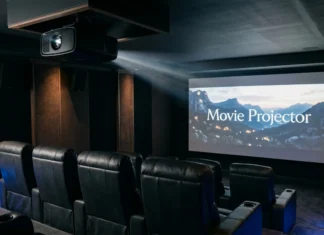
A portable projector can turn a bedroom, backyard, hotel room, or campsite into a large-screen viewing space. The right model depends more on your environment than impressive marketing numbers. U.S. buyers should compare brightness, resolution, power, streaming support, and placement before choosing a model.
Quick answer: A good compact projector should match your room before it matches your wish list. Prioritize standardized ANSI or ISO brightness, native 1080p resolution or better, reliable streaming support, suitable battery life, and a throw ratio that works in your space. Remember that portable and battery-powered are not the same thing.
Portable Projectors at a Glance
| Feature | Good Starting Point | Why It Matters |
|---|---|---|
| Resolution | Native 1080p | Keeps movies, subtitles, and presentations reasonably sharp |
| Brightness | Compare ANSI or ISO lumens | Standardized values make models easier to compare |
| Battery | Around one movie or longer | Important for camping, patios, and outlet-free locations |
| Streaming | Google TV, Tizen, or supported apps | Reduces the need for an extra streaming stick |
| Auto setup | Autofocus and auto keystone | Makes frequent movement less frustrating |
| HDMI | At least one input | Useful for consoles, laptops, and streaming devices |
| Throw ratio | Check against your room | Determines screen size at a given distance |
Key Takeaways
- Standardized ANSI or ISO brightness matters more than vague “LED lumen” claims.
- Native 1080p is a sensible minimum for most U.S. entertainment buyers.
- A small projector may still require wall power.
- Built-in streaming software can simplify movie nights and travel.
- Outdoor viewing works best after sunset because ambient light reduces picture visibility.
- Measure your room before assuming a 100-inch image will fit comfortably.
What a Compact Projector Can Do Well
Small projectors work best where flexibility matters more than maximum picture quality. They can move between bedrooms, apartments, patios, vacation rentals, and temporary presentation spaces. Current models also add autofocus, smart-TV platforms, wireless casting, and automatic image correction.
They still make compromises compared with larger home-theater equipment. RTINGS notes that smaller models often sacrifice brightness and picture quality for portability. That trade-off matters most in bright rooms and demanding home-cinema setups.
Readers comparing other personal electronics can also browse TechPufy’s Gadgets and Apps guides. The category covers more buying and device-selection topics beyond projection equipment.
How to Choose a Portable Projector for Your Space
Start with the room, not the product page. Decide where you will watch, how much light exists, and whether outlets are nearby. Then compare specifications that directly affect those conditions.
1. Compare ANSI or ISO Brightness
Brightness is one of the easiest projector specifications to misunderstand. ProjectorCentral recommends comparing established ANSI or ISO lumen measurements instead of unidentified brightness figures. Standardized measurements give shoppers a more useful basis for comparing competing products.
Lower-output models work best in dark bedrooms, hotel rooms, and nighttime outdoor settings. More light gives a projector additional flexibility around lamps or remaining daylight. Don’t buy a compact model expecting television-like visibility in direct sunshine.
2. Make Native 1080p Your Starting Point
Native resolution describes the image the projector can physically display. A product may accept a 4K signal while still showing that content at a lower native resolution. Checking the native specification prevents confusion caused by phrases such as “4K supported.”
Full HD remains practical for casual movies, streaming, presentations, and many games. Premium compact models now offer 4K imaging, but that improvement raises cost. Spend more when sharpness, larger images, or close seating justify it.
TechPufy’s tablets for reading guide discusses similar screen-quality trade-offs for another portable display category. Resolution alone never determines the entire viewing experience.
3. Decide Whether You Need a Built-In Battery
“Portable” describes size and mobility, not necessarily cordless operation. Some highly portable units still need an AC outlet throughout every viewing session. This distinction matters for camping, tailgating, patios, and travel.
Battery ratings also deserve careful reading because brightness settings affect runtime. RTINGS measures battery life at maximum brightness to produce a more conservative real-world result. Lower brightness or power-saving modes can extend playback beyond those measured figures.
4. Check Streaming Support Before Buying
A smart operating system can make a projector feel closer to a television. Google TV and Samsung Tizen provide direct access to many streaming services without a separate stick. App availability can still vary by platform, region, account, and service provider.
HDMI remains valuable even on a smart model. It lets you connect a laptop, console, streaming player, or other video source. Buyers should also check USB ports, Bluetooth audio, Wi-Fi support, and casting compatibility.
5. Measure Throw Distance and Screen Size
A projector cannot create every screen size from every position. Throw ratio determines how far the unit must sit from the wall or screen. Your furniture layout may matter as much as the maximum advertised image size.
Automatic keystone correction can straighten an angled image, but physical alignment still gives better results. Optical zoom is also preferable when available because it adjusts image size without relying entirely on digital scaling. Measure the intended viewing area before ordering.
Four Current Models U.S. Buyers Should Compare
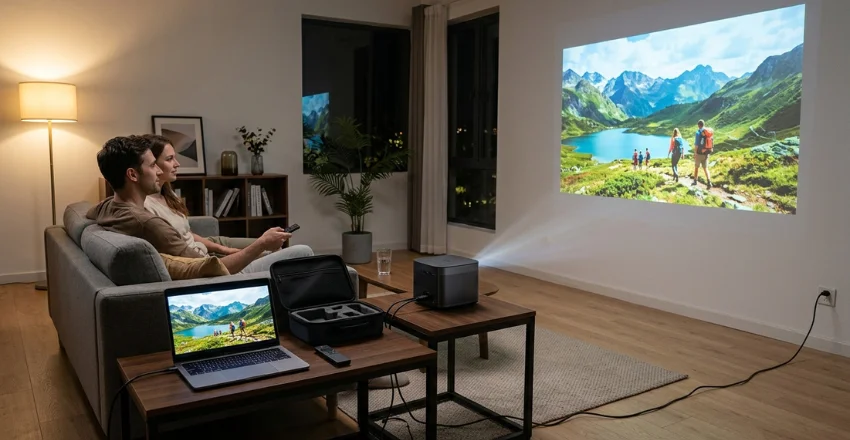
No single model suits every buyer because portability means different things. One shopper may want premium 4K picture quality, while another needs a built-in battery. The options below illustrate the category’s biggest trade-offs.
| Model | Resolution | Rated Brightness | Battery | Best Fit | Main Trade-Off |
|---|---|---|---|---|---|
| XGIMI Elfin Flip 4K | 4K | 1,600 ISO lumens | No built-in battery | Premium room-to-room viewing | Requires AC power |
| XGIMI Vibe One | 1080p | 250 ISO lumens | Built in | Budget nighttime use | Limited brightness and runtime |
| Anker Nebula Mars 3 | 1080p | Portable outdoor design | Built in | Camping and backyard movies | Larger than pocket-size models |
| Samsung Freestyle+ | 1080p | 430 ISO lumens | No built-in battery | Easy setup and Samsung smart features | High price for its picture performance |
XGIMI Elfin Flip 4K: Strong Premium Choice
The Elfin Flip 4K is aimed at buyers who want stronger picture specifications without moving to a large home-theater chassis. XGIMI lists 4K resolution, 1,600 ISO lumens, Google TV, optical zoom, and a $999 U.S. price. RTINGS currently places it first among its tested small-projector recommendations.
Pros
- 4K image output
- 1,600 ISO lumens
- Google TV
- Optical zoom
- Strong gaming specifications
Cons
- No built-in battery
- Premium price
XGIMI Vibe One: Better for Tight Budgets
The Vibe One targets shoppers who value low cost and cordless use more than maximum brightness. XGIMI specifies native 1080p, 250 ISO lumens, Google TV, and an integrated battery. Its U.S. store recently listed the battery version around $219 during a promotion.
Pros
- Lower purchase price
- Built-in battery
- Native 1080p
- Google TV
- Automatic focus and keystone features
Cons
- Needs a dark room at 250 ISO lumens
- Rated for only 1.2 hours in Eco video mode
Anker Nebula Mars 3: Built for Outdoor Flexibility
The Nebula Mars 3 makes more sense when rugged portability matters more than minimum size. RTINGS highlights its integrated battery, sturdy handle, water resistance, and powerful built-in speakers. Its testing measured 132 minutes at maximum brightness, while lower-power operation can last longer.
Pros
- Integrated battery
- Rugged outdoor-focused design
- 1080p resolution
- Strong built-in audio
- Useful for camping and backyard viewing
Cons
- Larger than pocket projectors
- Still performs best after dark
Samsung Freestyle+: Convenient, but Compare the Value
Samsung’s 2026 Freestyle+ focuses heavily on easy placement and automatic setup. Samsung specifies Full HD resolution, 430 ISO lumens, Tizen smart features, and a $1,199.99 U.S. list price. Independent RTINGS testing found its portability strong but criticized brightness, contrast, and value.
Pros
- Compact cylindrical design
- Automatic focus and image adjustment
- Tizen streaming platform
- Easy floor-to-ceiling positioning
Cons
- No integrated battery
- 1080p rather than 4K
- Expensive compared with stronger-performing alternatives
Which Type Should You Buy?
Start with your main use rather than selecting the most expensive specification sheet. Premium home users benefit from higher brightness and resolution, while campers gain more from battery capacity. Budget buyers should prioritize native resolution and standardized brightness before extra software features.
Use this simple shortlist:
- For stronger picture quality: Consider XGIMI Elfin Flip 4K.
- For lower-cost cordless viewing: Consider XGIMI Vibe One.
- For camping and outdoor use: Consider Anker Nebula Mars 3.
- For Samsung smart features: Compare Freestyle+ carefully against cheaper alternatives.
The same use-case approach helps with other technology purchases. TechPufy’s best record player guide also separates recommendations by budget, convenience, and intended use. That method prevents expensive features from becoming automatic buying priorities.
Portable Projector vs. TV or Full-Size Projector
A television remains easier for daytime viewing and permanent living-room use. A traditional projector can offer more brightness and home-theater flexibility when portability isn’t needed. Compact projection makes the strongest case when the screen must move between locations.
Buy based on how often the projector will move. A unit that stays permanently in one room doesn’t need to sacrifice brightness for a small chassis. A traveler, renter, camper, or occasional backyard viewer benefits much more from mobility.
Verdict: Focus on Where You Will Watch
For most buyers, native 1080p, standardized brightness, dependable streaming, and simple setup matter more than novelty features. The XGIMI Elfin Flip 4K suits premium room-to-room viewing, while the Vibe One favors budget buyers. The Nebula Mars 3 makes the strongest case when battery operation and outdoor durability are priorities.
Avoid buying based on size alone. Confirm the power source, brightness measurement, native resolution, ports, streaming platform, and required throw distance. Those checks reduce the risk of paying for a projector that cannot handle your normal viewing environment.
Frequently Asked Questions
Is a portable projector worth buying?
It is worth considering when you regularly move your screen between rooms or locations. It also suits renters, travelers, campers, and occasional backyard movie nights. A television usually works better for daily viewing in bright rooms.
How many ANSI lumens do I need?
There is no single brightness figure for every room. Lower-output compact models can work in dark environments, while ambient light requires substantially more output. Compare ANSI or ISO measurements because those standards make product comparisons more meaningful.
Can a mini projector work outside during the day?
Direct daylight is difficult for small projection systems to overcome. Even brighter travel models perform much better near dusk or after sunset. Samsung also recommends dim conditions or nighttime use for its portable projection products.
Can I watch Netflix on a compact smart projector?
Many current models support Netflix through Google TV, Tizen, or another certified platform. Support depends on the model, operating system, and regional app availability. Check the manufacturer’s current app information before purchasing.
Should I buy 1080p or 4K?
Native 1080p is enough for many casual movie, travel, and presentation uses. Choose 4K when sharper large-screen viewing matters and your budget supports the upgrade. Brightness and contrast can still affect perceived picture quality more than resolution alone.
Your Next Step
Measure your intended projection distance and decide whether cordless operation is essential. Then compare standardized brightness, native resolution, streaming support, and current U.S. pricing. For more technology buying advice, read TechPufy’s Gadgets and Apps coverage before your next device purchase.