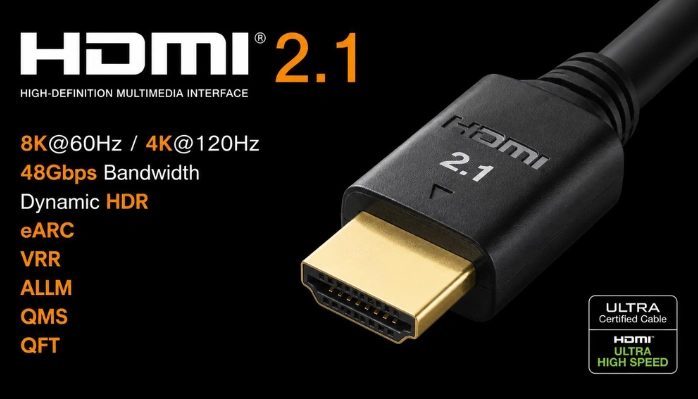
HDMI 2.1 matters most when you want 4K gaming above 60Hz, advanced audio, or newer display features. It supports bandwidth up to 48Gbps and common modes such as 4K at 120Hz and 8K at 60Hz. Basic streaming and 4K60 viewing can still work well with older equipment.
| Key question | Short answer |
| Maximum bandwidth | Up to 48Gbps |
| Common high-refresh target | 4K at 120Hz |
| Higher-resolution target | 8K at 60Hz |
| Main gaming features | VRR, ALLM, and QFT |
| Main audio feature | eARC |
| Recommended 48Gbps cable | Certified Ultra High Speed cable |
| Is it backward compatible? | Yes |
| Is it the newest specification in 2026? | No. Version 2.2 is newer. |
Direct answer: This standard is a high-bandwidth version of the familiar audio-video connection. It can carry up to 48Gbps and enable 4K120, 8K60, VRR, eARC, and other features. You receive those benefits only when every device and cable in the signal path supports them.
TL;DR: Most buyers need the newer connection for high-refresh console gaming, gaming PCs, or advanced home-theater equipment. Streaming boxes and 4K60 televisions rarely require its full bandwidth. Check individual port capabilities before replacing hardware, because a version label does not guarantee every feature.
What Is HDMI 2.1 and Why Does It Matter?
The HDMI 2.1 specification represents a major increase over the previous generation’s 18Gbps bandwidth ceiling. Its 48Gbps maximum allows more pixels, higher frame rates, richer color, or combinations of those demands. Official features include Dynamic HDR, eARC, VRR, ALLM, QFT, and QMS.
That extra capacity matters only when your equipment can send and receive the required signal. A 60Hz television cannot become a 120Hz display just by replacing its cable. A console or graphics card also cannot provide display features that the screen lacks.
This distinction matters because manufacturers can support different feature combinations on different products. A television may support some newer functions without offering maximum bandwidth on every input. Checking the exact model specifications is safer than relying on a single version number.
The Features That Matter Most in Everyday Use
For gamers, 4K120, VRR, and ALLM are usually the most noticeable improvements. VRR adjusts the display timing as game frame rates change during play. That can reduce visible tearing and stutter on compatible hardware.
ALLM lets compatible equipment automatically select a lower-latency display mode. QFT can reduce the transport time required to move a frame toward the display. These functions target responsiveness rather than higher image resolution alone.
Home-theater users may care more about eARC and Dynamic HDR. eARC provides a higher-capacity audio return path between televisions and compatible sound systems. Dynamic HDR allows picture metadata to change between scenes or individual frames.
| Feature | What it does | Most useful for |
| 4K120 | Combines 4K resolution with a 120Hz refresh rate | Console and PC gaming |
| VRR | Matches display timing more closely with changing game frame rates | Smoother gaming |
| ALLM | Selects a low-latency mode on compatible equipment | Console gaming |
| eARC | Returns higher-bandwidth audio from a television | Soundbars and AV receivers |
| Dynamic HDR | Allows changing HDR information throughout content | Compatible movies and displays |
The important point is that features solve different problems. Higher bandwidth does not automatically improve an ordinary movie or streaming program. The benefit depends on your source, content, display, and audio equipment.
HDMI 2.0 vs 2.1 vs 2.2 in 2026
Version 2.2 is the newest specification, so 2.1 is no longer the latest release. The newer specification raises maximum bandwidth to 96Gbps and introduces Latency Indication Protocol. Existing Ultra High Speed cables remain suitable for systems requiring no more than 48Gbps.
| Specification | HDMI 2.0 | HDMI 2.1 | HDMI 2.2 |
| Maximum bandwidth | 18Gbps | 48Gbps | 96Gbps |
| Typical 4K target | Up to 60Hz | Up to 120Hz | Higher-bandwidth future formats |
| Common cable class | Premium High Speed | Ultra High Speed | Ultra96 for maximum bandwidth |
| Main role in 2026 | Older 4K equipment | Current gaming and home theater | Newer high-bandwidth equipment |
Moving immediately to version 2.2 brings limited practical benefit for existing PlayStation 5 and Xbox Series X setups. Those consoles already target features available within the earlier high-bandwidth generation. Sony supports 4K120 output, while Microsoft lists a 2.1-generation port and up to 120fps performance.
The newer specification still matters for future equipment with greater bandwidth demands. It can support applications exceeding the established 48Gbps cable class. Most current buyers should focus first on the modes their existing hardware can produce.
Do You Need a New HDMI Cable?
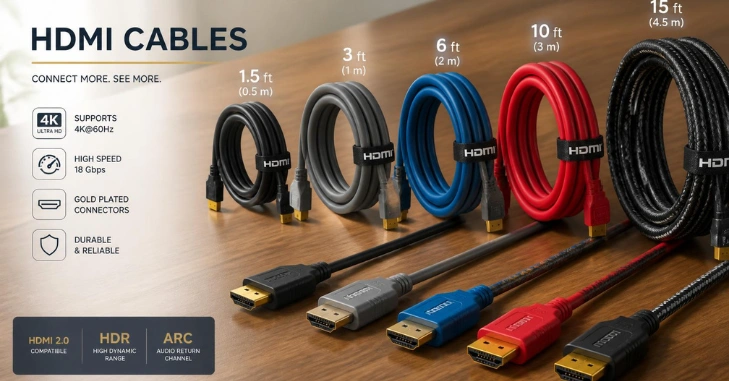
If you need the full 48Gbps class, look for an official Ultra High Speed HDMI Cable certification label. Certified models undergo testing for high-bandwidth formats such as uncompressed 4K120 and 8K60. The certification label can also verify the cable’s model and length.
Older Premium High Speed cables still work for many 4K60 setups at up to 18Gbps. Replacement becomes useful when your desired signal exceeds that capacity or produces connection problems. Certification matters more than vague packaging claims about extreme resolutions.
U.S. shoppers should also avoid paying more simply because a cable uses aggressive gaming language. Digital cables don’t improve picture quality beyond carrying the required signal. Choose the bandwidth, certification, length, and build quality you need for your installation.
How to Check Whether Your Setup Can Use the Faster Connection
Think about your equipment as one signal chain rather than several independent products. Every device between the source and screen must pass the bandwidth and features you want. An older receiver can limit a newer console and television.
- Check the source specifications for maximum resolution, refresh rate, VRR support, and output bandwidth.
- Check the exact television or monitor input, because some models provide advanced features only on selected ports.
- Check any AV receiver or soundbar for video pass-through limits and eARC support.
- Use the included console cable or a certified Ultra High Speed model when 48Gbps-class operation is required.
- Enable the display’s required high-bandwidth input setting, then confirm the requested resolution and refresh rate are active.
PC gamers should also verify both the graphics output and the monitor input before changing software settings. TechPufy’s Windows 11 gaming guide covers related gaming hardware and performance considerations. Its PC Builds section provides broader reading for planning a complete desktop setup.
Console players can browse TechPufy’s gaming section for related platform and setup coverage. Laptop buyers should check external display specifications because output capabilities vary by model. The ASUS ZenBook 14x guide shows how connectivity fits within a laptop’s broader specifications.
Common Setup Mistakes to Avoid
A common mistake is assuming every port on a recent television performs the same. Some televisions provide high-bandwidth gaming functions through only selected inputs. That matters when several consoles, PCs, and audio devices share one screen.
Another mistake is purchasing an expensive cable before checking the source and display limits. A cable cannot add VRR, 120Hz, or eARC support to incompatible hardware. Start with your desired output mode, then verify every component in the signal chain.
Users can also mistake an eARC label for proof that every advanced video feature is available. Audio return capability and high-refresh video support address different functions. Manufacturer specifications should state what each physical port can handle.
Who Benefits Most From the Upgrade?
High-refresh console players and gaming PC owners benefit most from the higher bandwidth. The connection also suits 8K displays and home theaters using advanced audio equipment. These setups can use capabilities that older 18Gbps connections cannot fully carry.
A household using streaming apps on a 4K60 television may notice little difference after changing cables. Most streaming video does not require a 4K120 gaming connection. Keeping a working older setup can therefore be the sensible choice.
That difference can save money when shopping for a television or cable in the United States. Compare supported modes rather than paying for the largest version number on a box. Port-level specifications tell you more about real compatibility than broad marketing labels.
What to Do Before You Buy
Write down the highest resolution and refresh rate you expect to use before choosing equipment. Then verify the source, display, receiver, soundbar, and cable against that target. This approach prevents unnecessary upgrades and helps identify the component limiting your connection.
For a 4K120 gaming setup, prioritize compatible ports and a properly certified cable. For ordinary 4K60 streaming, your existing hardware may already meet every practical requirement. Checking capabilities first is usually cheaper than replacing the entire signal chain.
Frequently Asked Questions
Do I Need HDMI 2.1 for a PS5 or Xbox Series X?
You don’t need it for every game, resolution, or TV. You need compatible 2.1-generation ports for features such as 4K120 and HDMI-based VRR on supported displays. Both consoles support high-refresh gaming features, though individual games may run at lower frame rates.
Will an Older Cable Work With a Newer Port?
Yes, the connection standard is designed for backward compatibility. Older cables can still carry signals within their tested bandwidth. Use a certified Ultra High Speed model when your configuration needs the full 48Gbps class.
Can I Get 4K120 With a 60Hz Television?
No, the display must accept a 120Hz input and refresh at the required rate. A newer cable cannot convert a 60Hz panel into a 120Hz screen. Check the television’s model-specific specifications before purchasing new accessories.
Does eARC Require a 48Gbps Cable?
Not necessarily, because eARC has different requirements from maximum-bandwidth video transmission. Official Ultra cable types are certified to support eARC operation. Older Ethernet-equipped cables may work, but they are not certified for eARC.
Is Version 2.2 a Reason to Skip 2.1 Equipment?
For most current console and 4K120 buyers, there is little reason to delay a purchase solely for version 2.2. The newer standard targets greater bandwidth and future display requirements. Buy for the features your equipment needs, not specifications you can’t use yet.