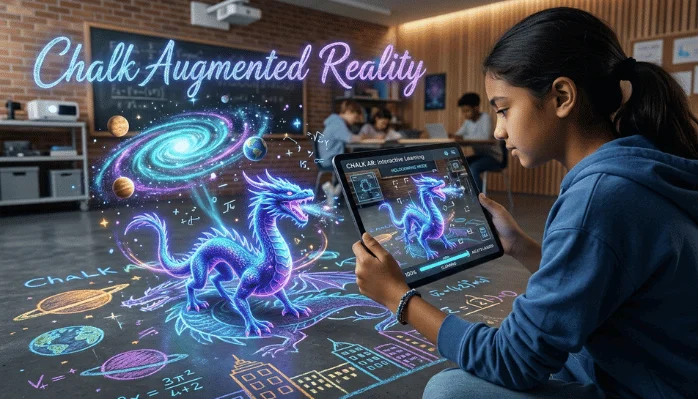
Chalk augmented reality usually refers to Vuforia Chalk, PTC’s former AR remote-assistance platform. It connected people through live video while placing digital marks on real objects. PTC retired the service on October 31, 2025, so businesses now need supported alternatives.
Quick answer: Vuforia Chalk combined live video with spatial digital annotations for remote troubleshooting and guidance. Those marks stayed attached to real-world objects as the camera moved, helping an expert guide someone on-site. The original Chalk service is now retired, with PTC directing customers toward ServiceMax Zinc.
Chalk Augmented Reality at a Glance
| Topic | Key information |
|---|---|
| Product | Vuforia Chalk |
| Developer | PTC |
| Main purpose | AR-based remote assistance and troubleshooting |
| Core feature | Digital annotations anchored to physical objects |
| Typical users | Technicians, engineers, support teams, and remote experts |
| Common devices | Smartphones, tablets, desktops, and selected wearable devices |
| Original launch | 2017 |
| Service status | Retired on October 31, 2025 |
| PTC’s current direction | ServiceMax Zinc |
| Main value | Clearer remote guidance without sending an expert on-site |
Key Takeaways
- Vuforia Chalk used AR annotations to improve remote technical support.
- Both participants could discuss a problem while viewing the same live environment.
- Spatial tracking helped digital marks remain connected to physical equipment.
- Manufacturing and field-service teams used the platform for repairs, training, and troubleshooting.
- PTC discontinued the service after finding overlapping capabilities within its ServiceMax portfolio.
- U.S. organizations researching Chalk today should evaluate supported replacement tools instead of planning a new Chalk deployment.
What Was Vuforia Chalk?
Vuforia Chalk was an augmented-reality communication application PTC created. The company announced it in 2017 as a new approach to remote visual guidance. It allowed two people in different locations to examine the same physical problem through a shared camera view.
The key difference from a normal video call was spatial annotation. A remote expert could draw arrows, circles, or marks over equipment visible on-screen. Those annotations stayed tied to the physical object as the camera moved.
PTC positioned the application mainly around service, manufacturing, maintenance, and technical support. A field worker could show an unfamiliar machine to a distant specialist. The specialist could then point directly at switches, panels, cables, or components requiring attention.
That workflow made AR useful without requiring a complex custom application. It also made the technology easier to understand for people unfamiliar with immersive software. Readers exploring other visual technologies can also browse TechPufy’s Technology section.
How Chalk Augmented Reality Worked
A typical session began when an on-site user shared a live camera view. The remote participant watched that feed and discussed the issue using real-time audio. Both people could then add visual Chalk Marks to the shared scene.
Vuforia’s computer-vision technology mapped visible features in the physical environment. That mapping helped the application understand where an annotation belonged. The mark could stay near the selected component instead of floating randomly across the screen.
This approach solved a common problem with conventional remote support. Saying “check the connector beside the silver box” can create confusion. Drawing directly over the connector gives the worker a much clearer instruction.
PTC also developed support for different device types during Chalk’s operating life. Mobile devices were important because technicians already carried them in the field. Desktop access let remote specialists provide guidance without holding another mobile device.
Why Businesses Used AR Remote Assistance
Remote support can become difficult when the person describing a problem lacks specialized vocabulary. A technician may see a damaged part but not know its technical name. Visual annotations let both people focus on the same object immediately.
Travel was another reason businesses adopted this type of tool. A senior engineer might normally need to visit a customer site for specialized troubleshooting. Remote AR could bring that expertise to the site without requiring another physical trip.
The technology was also useful for training. Newer workers could receive guidance while performing real tasks instead of studying instructions separately. That approach could support knowledge transfer from experienced employees to less experienced teams.
Rockwell Automation provides a useful historical example. PTC reported that more than 3,000 remote and field engineers were trained on Chalk during its deployment. The company also described a machine changeover completed within two days using remote assistance.
What Happened to Vuforia Chalk?
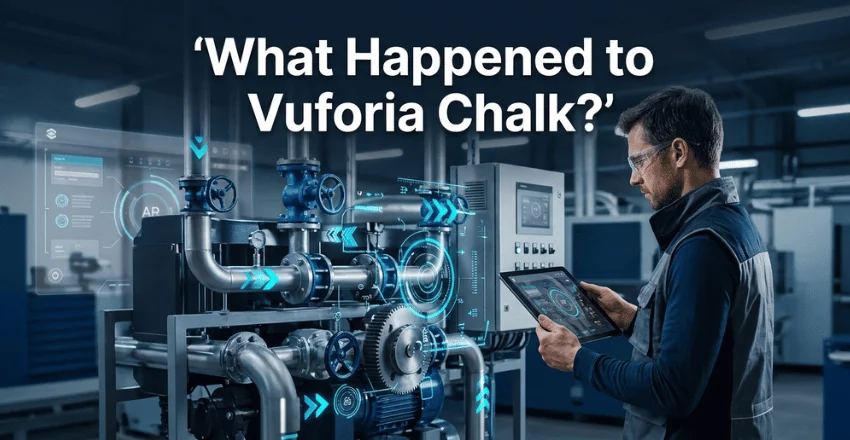
PTC decided to retire Vuforia Chalk after acquiring ServiceMax. The company found significant overlap between Chalk and ServiceMax Zinc’s remote-assistance capabilities. It therefore chose to concentrate its remote service strategy around Zinc.
PTC announced that Chalk service would end on October 31, 2025. Existing customers could continue using the platform during the transition period. Feature development had already stopped as the company prepared customers for migration.
That change matters for anyone researching the product in the United States during 2026. Older articles may still describe installation, licensing, or deployment as current options. Those instructions should now be treated as historical information.
The official PTC product page currently presents the transition as “Goodbye Chalk, Hello Zinc.” That makes the product’s status clear for new buyers. A company evaluating remote assistance should focus on actively supported software instead.
What Should U.S. Teams Use Instead?
PTC currently points former Chalk customers toward ServiceMax Zinc. Organizations already using PTC or ServiceMax products may want to evaluate that path first. Existing integrations and service processes can influence whether the transition makes sense.
Other businesses should begin with their workflow rather than a brand name. Identify whether workers need anchored AR annotations, ordinary video assistance, hands-free access, or detailed service records. Those requirements determine which replacement category deserves attention.
Device support also matters. A field team using Android phones has different needs from technicians using industrial headsets. Browser access may also matter when subject-matter experts work from office computers.
This is similar to choosing any business application. Features need to match the devices and tasks people already use. TechPufy’s guide to mobile app development with Ionic provides additional context about cross-platform application design.
Features to Check in a Modern Chalk Replacement
Start by examining annotation behavior. Basic drawing over a frozen image is not the same as spatially anchored guidance. A suitable tool should make instructions easy to follow when the camera position changes.
Next, review communication quality and connection requirements. Field technicians may work in factories, basements, utility areas, or other locations with weak connectivity. A remote-support platform should remain usable under the network conditions your teams face.
Security deserves equal attention. Businesses may expose equipment, customer sites, internal processes, or sensitive screens during a support call. Review encryption, identity controls, session permissions, retention settings, and administrative controls before deployment.
Integration can also affect long-term value. A remote-assistance session may need to connect with service tickets or knowledge records. Companies should check how easily the chosen software fits their existing support process.
Chalk Versus a Standard Video Call
| Capability | Vuforia Chalk approach | Standard video call |
|---|---|---|
| Live audio and video | Yes | Yes |
| Draw over shared view | Yes | Sometimes |
| Spatially anchored annotations | Core feature | Usually unavailable |
| Remote equipment guidance | Primary use case | General-purpose |
| Field-service focus | Strong | Limited |
| Current availability | Retired | Widely available |
A normal video call can still solve simple problems. The caller can move the camera while an expert explains what to inspect. That may be enough when the equipment is familiar, and instructions are straightforward.
AR becomes more useful when location matters. A digital mark can identify one specific component among several similar parts. That visual precision is what made Chalk different from ordinary remote video support.
Modern tools vary considerably in how they handle this capability. Some offer simple screen drawing, while others track physical geometry. Buyers should test annotation stability during a real field workflow before committing.
For more software-focused coverage, TechPufy’s Gadgets and Apps section covers applications and connected technology. Visual-content tools are also covered in its guide to image-to-video platforms.
Is Chalk Augmented Reality Still Relevant in 2026?
The original application is no longer a current deployment choice. The concept behind it remains relevant because remote visual guidance still solves real communication problems. AR can reduce ambiguity when an expert cannot stand beside the worker.
Chalk also provides a useful example of practical enterprise AR. It did not ask users to enter a fully virtual environment. Instead, it added digital guidance to a physical task people were already performing.
That model still influences remote service software. Businesses increasingly judge these systems by practical outcomes rather than novelty. Reliable communication, accurate annotations, simple access, and useful integrations matter more than an AR label.
For U.S. technology readers, the key distinction is therefore simple. Chalk is now a historical product, while AR remote assistance remains an active software category. Anyone evaluating the technology should compare supported platforms using current documentation.
Frequently Asked Questions
What is Chalk augmented reality?
Chalk augmented reality generally describes PTC’s Vuforia Chalk remote-support application. It combines live communication with digital marks attached to physical objects. The product was designed to make remote troubleshooting clearer than an ordinary video call.
Is Vuforia Chalk still available?
Vuforia Chalk is no longer an active PTC service. PTC retired the platform on October 31, 2025. The company currently directs customers toward ServiceMax Zinc for its remote-assistance strategy.
Why did PTC discontinue Vuforia Chalk?
PTC identified overlapping capabilities between Vuforia Chalk and ServiceMax Zinc. That overlap followed PTC’s acquisition of ServiceMax. The company chose to focus development resources on Zinc instead.
What devices did Vuforia Chalk support?
During its operating life, Chalk supported mobile devices and several other device types. Archived PTC documentation lists smartphones, tablets, desktops, and selected RealWear hardware. Those listings should not be treated as current product compatibility because Chalk is retired.
What made Chalk different from video conferencing?
The main difference was spatial annotation. Users could draw guidance over the shared physical environment instead of only talking about it. Computer vision helped those marks stay anchored to real-world objects.
Can companies still benefit from this type of AR?
Yes, the underlying remote-assistance model remains useful. Companies can evaluate newer tools offering video guidance, annotations, and field-service integration. The right platform depends on devices, security requirements, network conditions, and existing software.
What to Do Next
Businesses researching this technology should avoid building a new plan around the discontinued Chalk service. Instead, document the exact remote-support problems your technicians need to solve. Then compare current platforms against those requirements using hands-on field tests.
Pay particular attention to annotation stability, device compatibility, security, and administrative controls. Test the software where technicians will use it, not only through an office Wi-Fi connection. That approach gives you a clearer picture of whether AR remote assistance improves the actual service workflow.
For more practical technology coverage, continue through TechPufy’s Technology articles. The site covers applications, devices, software, and emerging tools for everyday users. Those topics can help place AR support technology within a broader digital toolkit.