
If you are asking will my alarm go off on DND, the answer depends on your phone. iPhone Clock alarms still sound while Do Not Disturb or another Focus is active. Android phones can behave differently because DND settings may allow or block alarms. Quick answer: iPhone alarms created in Apple’s Clock app sound during Do Not Disturb and other Focus modes. Android alarms usually work too, but the active DND mode can block them. Check your alarm permissions, sound, and volume before relying on an important wake-up alarm.
| Phone or setting | Will the alarm sound? | What to check |
|---|---|---|
| iPhone Clock app | Yes | Alarm sound and alarm volume |
| iPhone Silent mode | Yes | Sound must not be set to None |
| iPhone Focus or DND | Yes | Built-in Clock alarms remain active |
| Android Clock app | Usually | DND must allow alarms |
| Android with alarms blocked | No sound possible | DND interruption settings |
| Third-party alarm app | Depends | App permissions and DND access |
| Phone powered off | Usually no | Keep the device powered on |
Key Takeaways
- Apple’s built-in Clock alarms sound during Do Not Disturb and other Focus modes.
- Android lets users control whether alarms can interrupt DND.
- Silent mode does not necessarily mean your alarm is silent.
- Alarm volume is separate from media volume on many phones.
- Third-party alarm apps may follow different rules.
- A two-minute test is the safest check before an important morning.
Will My Alarm Go Off on DND? The Short Answer
On an iPhone, the built-in Clock alarm should ring even while Do Not Disturb is active. Apple also says other Focus modes do not stop these alarms. Silent mode does not prevent the Clock alarm from sounding either. Android requires a little more attention because manufacturers can change available settings. Google allows users to block or permit alarms under Do Not Disturb notification filters. Your alarm may stay silent when that interruption category is blocked. This difference matters if you switch between iPhone and Android devices. It also matters after changing DND schedules or modes. Checking the setting once can prevent an unpleasant surprise the next morning.
Do iPhone Alarms Ring During Do Not Disturb?
Yes, alarms created with Apple’s built-in Clock app continue sounding during Do Not Disturb. Apple specifically lists DND and other Focus modes among settings that do not stop alarms. Apple’s own iPhone alarm documentation confirms this. The iPhone Ring/Silent setting does not stop a Clock alarm either. You can silence calls and regular notifications while keeping your wake-up alarm active. This makes DND useful when you want an uninterrupted night. You still need a usable alarm configuration. An alarm with no sound selected may only provide limited feedback. Low alert volume can also make a working alarm seem broken.
Which iPhone Volume Controls the Alarm?
Apple provides alarm volume controls under Settings and Sounds & Haptics on current iPhones. Depending on your settings, the alarm level may follow the ringtone volume. Newer software can also provide dedicated options for alarms and timers. Media volume is not the setting you should rely on for Clock alarms. Lowering a YouTube video or music player does not necessarily lower your morning alarm. Check Sounds & Haptics when the wake-up tone seems unusually quiet. You should also open the alarm itself and inspect its selected sound. Make sure the Sound option is not set to None. A short test alarm can confirm the final volume before bedtime.
Will Android Alarms Ring While DND Is On?
Android alarms can ring during Do Not Disturb, but the behavior depends on your mode settings. Google lets Android users block or allow alarms under interruption filters. Menu names may vary across Pixel, Samsung, Motorola, and other brands. Google’s Android documentation tells users to review alarms and other interruptions. This is more flexible than Apple’s approach. It also means an Android alarm can be silenced by a setting you changed earlier. The safest rule is simple: do not assume every Android phone treats alarms identically. Review the active mode before an important morning. Then test the exact setup you plan to use overnight. For more Android notification controls, TechPufy’s notification history guide explains how recent alerts work. It can help you understand other notification settings on your device. Those controls are separate from alarm behavior.
How to Allow Alarms During DND on Android
The exact wording depends on your Android version and phone manufacturer. Most current phones provide an alarm exception somewhere inside Do Not Disturb or Modes. Search Settings for “Do Not Disturb” if your menus look different.
- Open Settings on your Android phone.
- Open Modes, Notifications, or Sound and vibration.
- Select Do Not Disturb.
- Find Alarms and other interruptions or a similar option.
- Make sure Alarms are allowed.
- Check the alarm volume before leaving Settings.
- Set a short test alarm and verify it sounds.
Do not copy a menu path blindly when your phone looks different. Samsung, Pixel, and other Android devices can organize these controls differently. The important setting is whether alarms are permitted during the active mode.
Does Silent Mode Stop Your Alarm?
Silent mode and Do Not Disturb are related, but they solve different problems. Silent mode mainly changes audible calls and notifications. Do Not Disturb applies filtering rules to interruptions. On iPhone, Apple says the built-in Clock alarm still sounds in Silent mode. The Ring/Silent switch or Action button therefore does not cancel a scheduled wake-up alarm. Your alarm volume and chosen sound still matter. Android behavior depends more heavily on the phone and its sound settings. Google warns that an alarm may fail audibly when its sound is silent. Check both the alarm ringtone and the alarm-volume slider.
| Setting | Calls and notifications | Built-in alarm |
|---|---|---|
| iPhone DND | Usually silenced | Sounds |
| iPhone Silent mode | Silenced | Sounds |
| Android DND | Filtered | Depends on DND settings |
| Android Silent mode | Silenced | Usually separate, but verify |
| Airplane mode | Wireless connections disabled | Local alarms normally remain scheduled |
Why an Alarm May Not Make Sound Even When It Is Set
DND is not the only reason an alarm can appear without making enough noise. Your alarm may be active while another setting affects the sound. Checking a few basics usually identifies the cause. First, inspect the alarm’s selected ringtone or sound. A silent sound produces an obvious problem regardless of your DND configuration. Increase the correct alarm or alert volume before testing again. Google also warns Android users about Clock notification permissions and Battery Saver restrictions. These settings can interfere with reliable alarm behavior on supported devices. Keeping the Clock app unrestricted can reduce avoidable failures. Bluetooth can create additional confusion around audio. Connected headphones or speakers may affect what you expect to hear. Testing with your normal overnight setup provides a clearer answer than checking settings alone. TechPufy’s lock screen guide explains how notifications and controls behave while a device remains secured. Lock-screen behavior should not be confused with alarm permissions. They are separate system features.
What About Third-Party Alarm Apps?
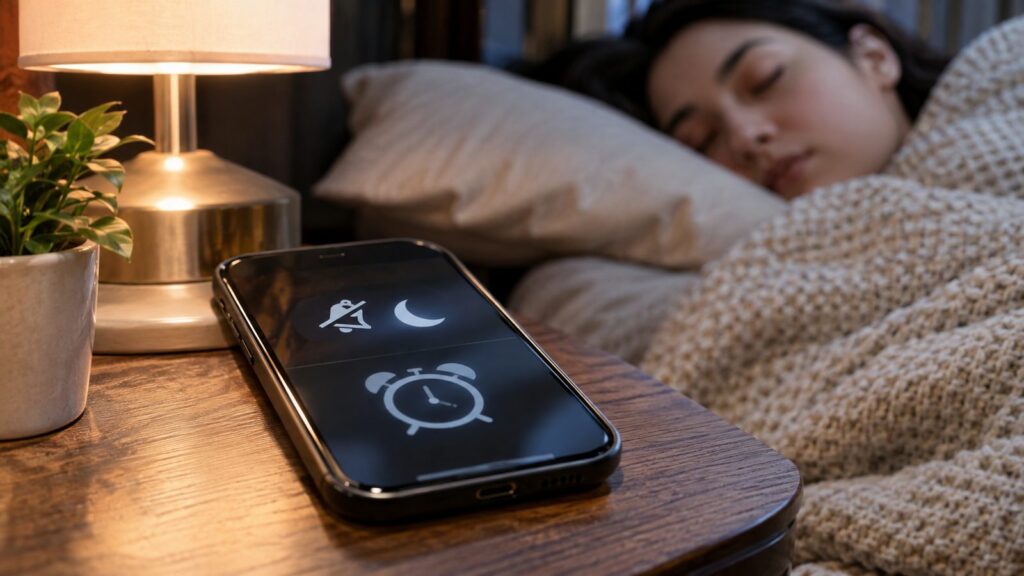
Third-party alarm applications deserve extra attention because they do not always behave like the system Clock. Some depend on notifications, background activity, or additional permissions. DND can therefore affect them differently. On iPhone, Apple’s documented behavior applies specifically to alarms made with the built-in Clock app. That guarantee should not automatically be applied to every downloaded alarm application. Check the developer’s instructions before depending on one. Android apps can also require permission to interrupt Do Not Disturb or run reliably in the background. Battery restrictions may create another failure point. Test third-party apps under the same conditions you plan to use overnight. When reliability matters, the phone’s built-in Clock is usually the easiest option to verify. It has fewer additional permissions to inspect. A downloaded application can still work well after correct configuration.
Use This Two-Minute Alarm Test Before Bed
A quick test removes most uncertainty from the situation. It checks your actual phone, software version, sound level, and active mode together. This is more useful than relying on a general rule. Set an alarm for two minutes in the future. Turn on the same DND or Focus mode you use at night. Lock the phone and leave it where you normally place it. Wait without changing the volume or opening the Clock app. Confirm that the alarm appears and produces enough sound. If it fails, review DND permissions, volume, sound choice, and battery settings. Repeat the test after major software changes when the alarm is especially important. Updates can move settings or change menu names. This small habit takes less time than troubleshooting after you oversleep. You can find more practical device walkthroughs in TechPufy’s How-to guides. Those guides cover common phone and computer settings. They are useful when menus change after updates.
How to Make Your Morning Alarm More Reliable
Use the built-in Clock when you want the simplest setup. Confirm the alarm toggle is active and choose an audible tone. Keep the device charged enough to remain powered through the night. Set the volume before going to sleep rather than trusting yesterday’s setting. Android users should also confirm that the current DND mode allows alarms. iPhone users should verify the chosen sound and alert volume. Avoid depending on an unfamiliar third-party app for an important first test. Give yourself time to confirm how the application behaves with DND enabled. A backup alarm can also help before flights, exams, or early appointments. For broader mobile troubleshooting and device advice, browse TechPufy’s Technology section. It includes Android, smartphone, and general device guides. Related settings are often easier to understand when reviewed together.
Frequently Asked Questions
Will my alarm go off on DND if I have an iPhone?
Yes, Apple says alarms created in the built-in Clock app sound during Do Not Disturb. Other Focus modes do not stop these alarms either. Make sure the alarm has a sound and enough volume.
Can Do Not Disturb stop an Android alarm?
Yes, it can when the active DND mode is configured to block alarms. Google provides an alarm filter inside current Android mode settings. Make sure alarms are allowed before relying on one overnight.
Will my alarm ring if my phone is on silent?
An iPhone Clock alarm still sounds while Silent mode is active. Android phones usually separate alarm volume from normal ringer volume. Check the alarm sound and volume because device settings can vary.
Does Sleep Focus stop an iPhone alarm?
No, Apple’s Clock alarms continue working during Focus modes, including sleep-related settings. Focus mainly reduces calls, messages, and regular notifications. Your scheduled Clock alarm remains separate from those interruptions.
Why did my alarm appear but make no sound?
The alarm sound may be disabled or the relevant volume may be too low. Android DND settings can also block alarm sound. Third-party applications may require additional permissions or background access.
Will an alarm work if the phone is turned off?
You should not rely on a smartphone alarm after completely powering off the device. Standard iPhone and most Android alarms require the operating system to remain running. Keep the phone powered and sufficiently charged overnight.
The Bottom Line
You can use Do Not Disturb overnight without automatically losing your morning alarm. iPhone Clock alarms continue sounding during DND, while Android users should verify alarm permissions. Both platforms still require an audible sound and suitable volume. A two-minute test provides the most dependable answer for your exact phone. Turn on your normal nighttime mode and let a test alarm run. Once it sounds correctly, you can use DND with much more confidence. —