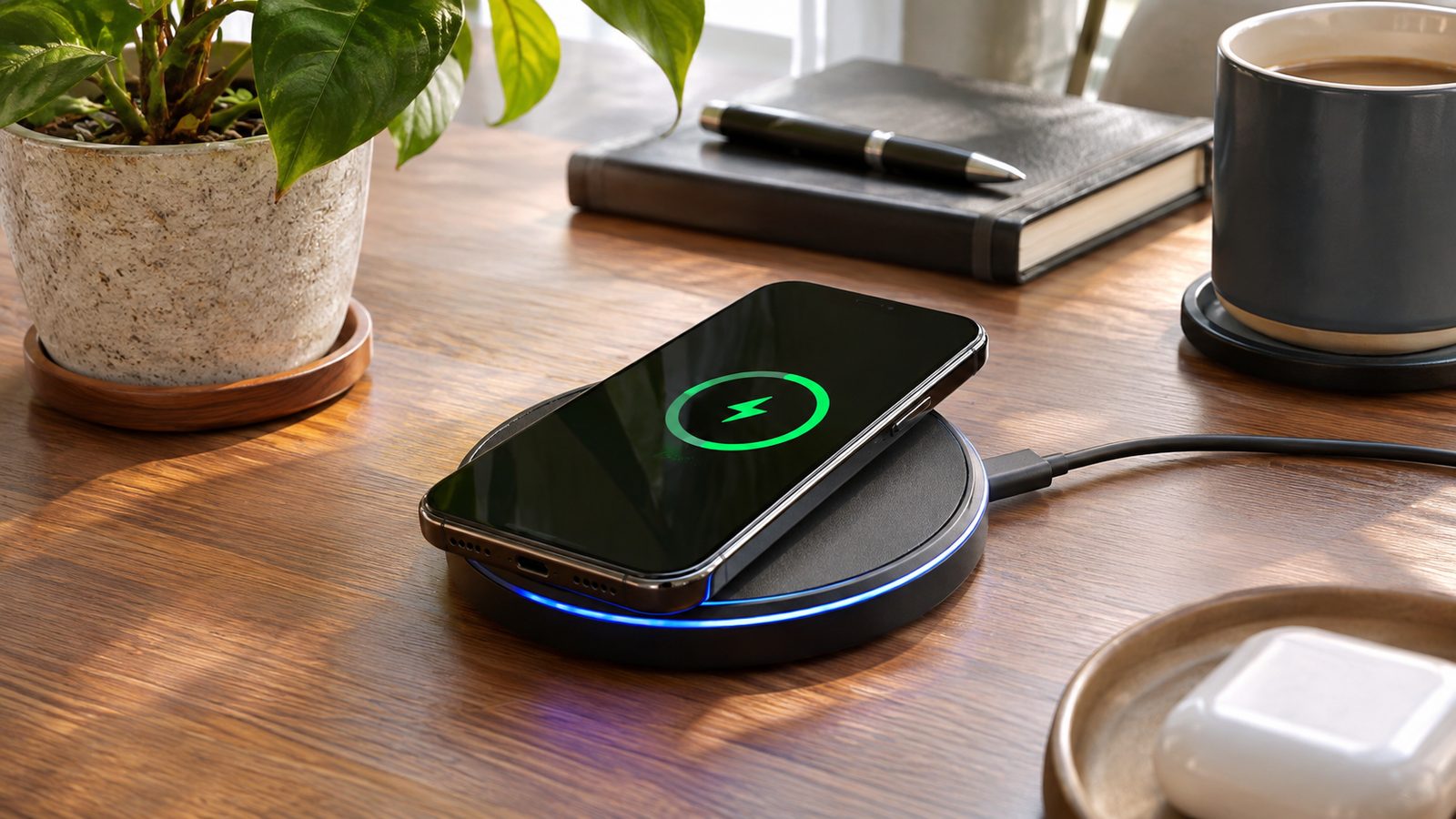
A wireless charging pad gives you an easy way to power compatible devices without repeatedly plugging in a cable. You place your phone on the charging surface, and energy moves between two closely aligned coils. For U.S. buyers, the main decisions involve compatibility, charging speed, alignment, case support, and safety certification. Quick answer: Choose a Qi-certified or Qi2-certified charger that matches your phone’s supported charging speed. Qi2 models add magnetic alignment and can support faster charging on compatible devices. Check whether the power adapter is included, confirm case compatibility, and avoid uncertified chargers with unclear safety specifications.
Wireless Chargers at a Glance
| Feature | What to Look For | Why It Matters |
|---|---|---|
| Standard | Qi, Qi2, or Qi2 25W | Determines compatibility and possible charging speed |
| Output | Match your phone’s supported wattage | Higher advertised power does not guarantee faster charging |
| Alignment | Magnetic or clearly marked charging area | Better alignment can improve charging consistency |
| Certification | Qi certification | Helps confirm interoperability and safety protections |
| Case support | Thin, nonmetallic, compatible case | Thick or metal cases may interrupt charging |
| Power adapter | Included or correctly rated | An underpowered adapter can limit charging speed |
| Heat control | Temperature monitoring and good ventilation | Excess heat can reduce charging performance |
What Is a Wireless Charging Pad?
A wireless charger transfers electricity over a short distance using electromagnetic induction. The charger contains a transmitting coil, while your compatible phone contains a receiving coil. The phone converts the magnetic energy back into electrical power for its battery. The pad itself still needs electricity from a cable or wall adapter. “Wireless” describes the connection between your phone and the charging surface. It does not mean power travels wirelessly from the wall across a room. Most current smartphone chargers use the Qi family of standards. The Wireless Power Consortium manages Qi and its newer Qi2 specifications. The group explains that Qi2 can provide magnetic alignment and up to 25 watts on compatible products.
Qi, Qi2, and Magnetic Charging Compared
The charging standard matters more than the pad’s physical shape. A flat charger and a stand can deliver similar performance when they support the same standard. Your phone also sets a limit on how much charging power it can accept.
| Type | Typical Benefit | Main Limitation | Best Fit |
|---|---|---|---|
| Standard Qi | Broad compatibility | Alignment may require careful placement | Older compatible phones |
| Qi2 | Magnetic alignment and up to 15W on supported devices | Phone must support matching features | Newer iPhones and supported Android phones |
| Qi2 25W | Higher potential charging power | Requires compatible phone and charger | Buyers wanting newer fast-charging support |
| Proprietary magnetic systems | Tight device integration | Features may vary outside one ecosystem | Brand-focused setups |
Qi remains useful when you want broad compatibility at a lower cost. It works with many phones, earbuds, and accessories that support the standard. You may need to position a device carefully because standard Qi does not require magnetic alignment. Qi2 improves positioning by adding a magnetic charging profile. Better alignment can reduce wasted energy caused by poorly positioned charging coils. Matching Qi2 generations gives you the strongest chance of receiving their full charging benefits.
Pros of Standard Qi
- Broad device compatibility
- Many affordable charger choices
- Useful for phones and compatible earbuds
- Mature and widely adopted technology
Cons of Standard Qi
- Alignment can be less precise
- Charging speeds vary considerably
- Some devices may fall back to lower power
- Noncertified products can be difficult to evaluate
Pros of Qi2
- Magnetic alignment simplifies placement
- Compatible products can support higher speeds
- The standard works across participating device brands
- Alignment can make charging more consistent
Cons of Qi2
- Older phones cannot use every Qi2 feature
- Faster models can cost more
- Maximum wattage still depends on the phone
- A compatible power adapter may be required separately
How to Choose a Wireless Charging Pad for Your Phone
The best model is the one that matches your existing devices and charging habits. Paying for 25W support offers little benefit when your phone accepts much less wirelessly. Start with compatibility, then compare practical features rather than headline wattage.
1. Check Your Phone’s Wireless Charging Support
Look at your phone manufacturer’s technical specifications before buying anything. Search for Qi, Qi2, MagSafe, or a listed wireless charging wattage. Do not assume every modern smartphone includes the feature. Apple has supported wireless charging on many iPhones for several generations. Samsung, Google, and other Android manufacturers also offer compatible models. Support and maximum speeds vary between devices, so checking the exact model prevents expensive mistakes.
2. Match the Charger to the Phone’s Maximum Speed
A 25W charger cannot force a phone to accept 25W. The phone, charger, adapter, software, temperature, and charging standard can all affect delivered power. Think of the advertised charger wattage as a ceiling rather than a guaranteed result. This matters when comparing inexpensive 15W models with newer 25W products. You may see no meaningful speed difference on an older device. Newer hardware can make higher-output options more useful.
3. Check Whether the Power Adapter Is Included
Some products include only the charging surface and cable. Others include a compatible wall adapter in the package. Check the box contents before comparing two prices. Using an underpowered adapter can reduce available charging speed. A charger rated for higher output needs an adequate power source behind it. This detail is easy to miss when shopping online.
4. Consider Magnetic Alignment
Magnetic alignment makes it easier to place the receiving coil over the charger’s transmitting coil. That reduces the chance of waking up with a poorly charged phone. It also makes attaching and removing a device faster. You may prefer a nonmagnetic model for a shared household with many older devices. A magnetic model makes more sense when your main phone fully supports Qi2 or another compatible system. Your case must also support the magnetic connection properly. For more device-buying coverage, browse TechPufy’s Gadgets and Apps guides. The section covers consumer electronics and practical technology choices for everyday users.
5. Make Sure Your Case Will Work
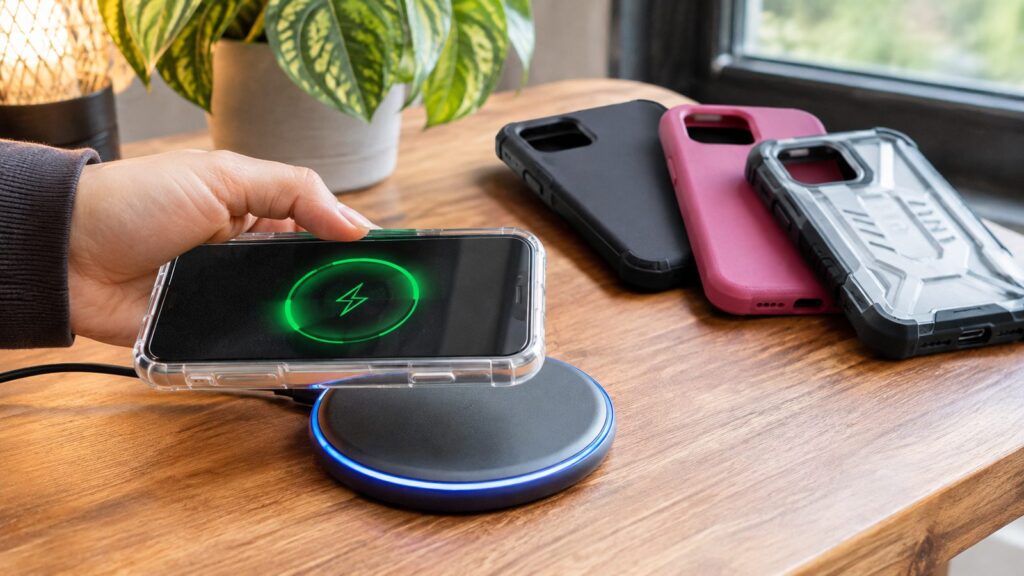
Thin plastic, silicone, and similar cases often work without removal. Thick protective cases can increase distance between the two charging coils. Metal plates, wallets, rings, or attachments may also interfere. Magnetic charging works best with a case designed for that charging system. A weak magnetic connection may cause poor positioning even when charging starts. Remove accessories from the back when troubleshooting inconsistent performance.
6. Look for Recognized Certification
Certification provides a useful signal when comparing unfamiliar charger brands. The Wireless Power Consortium maintains certification programs for Qi products. Certified equipment must meet defined interoperability and safety requirements. Certification does not mean every model charges every phone at maximum speed. It does provide more useful assurance than vague phrases such as “wireless compatible.” Check the certification claim when buying from lesser-known sellers.
7. Think About Where You Will Use It
A simple pad works well on a nightstand because it stays low and unobtrusive. A stand can be better on a desk because notifications remain easier to see. Multi-device chargers may suit users with a phone, earbuds, and smartwatch. Choose the form around your routine instead of selecting the largest feature list. TechPufy applies the same use-case approach in its portable projector buying guide. Buying around your actual environment often prevents paying for unused specifications.
Does Wireless Charging Work Through a Phone Case?
Most thin, nonmetallic cases allow charging because the electromagnetic field can cross a small gap. Problems become more likely as the case becomes thicker or contains metal. Accessories placed between the phone and charger can also interrupt charging. Magnetic systems add another requirement because the magnets must align correctly. A compatible magnetic case can preserve both charging and attachment strength. A normal thick case may still charge while losing the magnetic benefit.
Is a Wireless Charging Pad Safe?
Certified chargers include controls designed to manage temperature, power delivery, and foreign objects. Qi-certified products can detect conditions that may make charging unsafe or inefficient. Your phone also manages battery charging through its own battery-control system. Heat deserves more attention than fear about wireless power itself. Poor alignment can waste more energy and create additional warmth during charging. Keep the charger ventilated and avoid placing metal objects between the phone and pad. A phone may also reduce charging speed when temperature rises. That behavior protects the battery and internal components. Consistently cooler operation is generally preferable to chasing maximum charging speed.
Can You Leave Your Phone on the Charger Overnight?
Modern smartphones manage charging automatically and do not continuously force power into a full battery. Many phones also offer optimized or adaptive charging features. These systems can delay the final portion of charging based on your normal routine. Heat remains the practical issue to watch during overnight use. Keep the charger on a firm surface instead of bedding or other insulating material. Use reputable certified equipment and ensure the phone remains correctly positioned.
Wireless Pad Versus Wired Charger
A cable still makes sense when maximum charging speed or efficiency matters most. Wired charging can also be more dependable when you need power quickly before leaving home. It remains useful for phones without compatible charging hardware. A pad wins on convenience during repeated short charging sessions. You can place the phone down at a desk, kitchen counter, or bedside table without finding a connector. That convenience may matter more than peak charging speed.
| Priority | Better Choice |
|---|---|
| Fastest possible charging | Wired charger |
| Easy desk charging | Wireless pad |
| Frequent short top-ups | Wireless pad |
| Older unsupported phone | Wired charger |
| Magnetic positioning | Qi2-compatible charger |
| Charging while holding the phone | Wired charger |
Our Verdict: What Should Most U.S. Buyers Choose?
For most new purchases, a certified Qi2 model gives buyers a useful balance of compatibility and convenient alignment. Choose a higher-output model only when your phone can use that extra power. Otherwise, a reliable lower-output charger may provide the same everyday experience. Budget buyers with older compatible phones can still choose standard Qi confidently. Check charger certification, included accessories, and case support before ordering. Those details often matter more than a large wattage number printed on the box. Readers comparing other electronics can also explore TechPufy’s broader Technology coverage. Its buying guides focus on matching specifications to practical needs instead of chasing feature lists.
Frequently Asked Questions
What should I look for in a wireless charging pad?
Start with your phone’s supported standard and maximum wireless charging wattage. Then check certification, case compatibility, power-adapter requirements, and magnetic alignment. Choose features that fit where you normally charge your phone.
Is 15W enough for a phone charger?
Fifteen watts can be enough when your phone supports that wireless rate. Buying more wattage does not automatically make an older device charge faster. The receiving device always helps determine the final speed.
Is Qi2 better than Qi?
Qi2 adds magnetic alignment and supports newer performance profiles. That can make positioning easier and charging more consistent on compatible hardware. Standard Qi remains useful for many older devices.
Why does my phone get warm while charging?
Wireless power transfer is not perfectly efficient, so some energy becomes heat. Poor alignment, thick cases, and high charging power can raise temperatures further. The phone may reduce charging speed when it becomes too warm.
Why is my phone not charging on the pad?
Check the phone’s compatibility first, then reposition it near the center. Remove thick cases, wallets, metal plates, or other accessories from the back. You should also confirm the charger uses a suitable wall adapter.
Your Next Step
Check your exact phone model before selecting a charger. Confirm its supported standard, maximum power level, and case requirements. Then compare certified products based on the features you will use every day. —