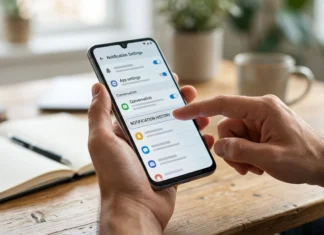

Want to block caller ID before making a phone call in the United States? You can usually dial *67 before a number for one private call. You can also change phone settings when you want your number hidden more often. Caller-ID blocking changes what the person receiving your call sees. It does not make the call completely anonymous. Your carrier still processes the call and may retain information about it.
Quick answer: In the US, dial *67 before the phone number to hide your number for one supported call. For repeated private calls, iPhones and many Android phones offer number-display settings. Carrier restrictions can affect both methods, especially for emergency and toll-free numbers.
Quick Comparison of Your Options
| Method | Best for | How long it lasts | Main limitation |
|---|---|---|---|
| Dial *67 | One private call | One call | May not work with special numbers |
| iPhone setting | Repeated private calls | Until changed | The carrier may disable the option. |
| Android setting | Repeated private calls | Until changed | Menus vary by phone and carrier. |
| Carrier-level setting | Line-wide privacy | Until removed | Requires carrier support |
| Dial *82 | Showing a normally hidden number | One call | Availability depends on the carrier. |
The fastest method is *67 because it requires no app or account change. Permanent settings are better when you need privacy on many outgoing calls. Still, permanent blocking can make some people less likely to answer.
How to Block Caller ID for One Call With *67
For most US users, *67 is the simplest option for a single outgoing call. Federal caller-identification rules have long recognized per-call number blocking through this code. AT&T and T-Mobile also document *67 for supported services.
Follow these steps:
- Open your phone’s dialer.
- Enter *67.
- Enter the full phone number, including the area code.
- Tap the call button.
- End the call normally when finished.
For example, you would dial *672125551234 instead of 2125551234. The other person may see “Private,” “Blocked,” or a similar label. Your next normal call should display your number again. This approach works well when contacting a marketplace seller or an unfamiliar business. It also avoids changing settings that you might forget later. No third-party calling app is required.
According to AT&T, its wireless service supports per-call blocking with *67. T-Mobile documents the same basic method. Carrier rules can change, so check with your provider if the code fails.
Hide Your Number on an iPhone
Apple provides a built-in option for supported cellular lines. Current instructions place the control inside the Phone settings under Apps. The setting stays active until you change it again.
Use these steps:
- Open Settings.
- Tap Apps.
- Select Phone.
- Tap Show My Caller ID.
- Turn the setting off.
Apple states that outgoing recipients will not see your phone number after this change. You can review Apple’s current instructions on its caller identification support page. The option may be missing or unavailable on some carrier plans. If the control is grayed out or absent, contact your wireless provider. You can also try *67 for individual calls. Avoid assuming an older iPhone menu path still matches current software.
Hide Your Number on an Android Phone
Android settings vary more because phone makers customize their calling applications. Samsung, Pixel, Motorola, and other devices may use different labels. Your carrier can also remove the number-hiding control.
A common route looks like this:
- Open the Phone app.
- Open Settings from the menu.
- Select Calling accounts, Calls, or Supplementary services.
- Choose the correct SIM or carrier when requested.
- Open the number-display setting.
- Select Hide number.
Your exact menu may differ from these steps. Dual-SIM phones can also require you to select one line first. If no privacy option appears, try *67 instead. Google Voice has a separate anonymous-calling control for users placing calls through that service. Google also documents *67 for individual US Google Voice calls. Its instructions are available in Google Voice Help.
How to Show Your Number Again
Reversing the change depends on how you hid the number. A one-time *67 call usually needs no reset. Make the next call normally without the prefix.
On iPhone, return to Settings > Apps > Phone > Show My Caller ID. Turn the option back on. Android users can return to the corresponding calling setting and choose “Show number” or the network default.
Some US services also support *82 for one-call unblocking. This can be useful when your line normally hides its number. AT&T documents *82 on supported services for this purpose.
When Number Blocking Does Not Work
Number hiding has important limits that many short tutorials omit. It should be treated as a display-control feature, not an anonymity service. The telephone network still needs information to route and manage the call. AT&T says its blocking option doesn’t hide your information when you call 911 or toll-free numbers. T-Mobile also notes exceptions for emergency and toll-free services. Other carriers may have similar restrictions.
A recipient may also reject private calls automatically. Spam filters can send blocked numbers to voicemail or stop them completely. Hiding your number does not bypass another person’s blocking settings. Withholding your number is also different from changing your number. This feature does not create a temporary phone number. For ongoing separation, a second number or dedicated business service may make more sense.
Blocking Your Number Is Different From Blocking a Caller
People sometimes use “block” to mean two opposite things. Hiding your outgoing number protects what recipients see. Blocking an incoming caller prevents that person from contacting you normally. On an iPhone, you can block unwanted contacts from the Phone or Messages apps. Apple also offers screening and filtering tools for unknown communications, and the same Settings app holds other display options such as Always On Display on iPhone.
These features do not change what other people see when you call them. Android phones offer similar incoming-call controls through the Phone app, and notification history on Android can help you find missed call alerts. Exact features depend on the phone maker and dialer. Use those controls when your goal is stopping spam rather than hiding your own number.
Should You Hide Your Number Permanently?

Permanent number hiding makes sense for some privacy-sensitive situations. It can help people who regularly call unfamiliar contacts from a personal phone. It also saves you from typing a prefix before each call. There is a practical downside, though. Many people ignore private calls because unwanted callers often hide identifying information. Automated call filters may also treat them more aggressively.
For occasional privacy, *67 is usually the better choice. It changes only one call and requires no later reset. Permanent hiding is more suitable when privacy matters on most outgoing calls.
Common Problems and Fixes
The Number-Hiding Setting Is Missing
Your carrier may control the setting, not your phone. Apple specifically advises contacting your carrier when its display option is unavailable. Android users can face the same carrier restriction. Try *67 before assuming your device is faulty. If that fails, check your carrier’s support documentation. Account type and service configuration can affect availability.
*67 Does Not Work
First, confirm you entered the prefix directly before the full phone number. Then test it with an ordinary US number rather than emergency services. Toll-free destinations can also behave differently. Carrier requirements sometimes vary by line or device. AT&T documentation also references #31# on certain supported devices. Follow your own provider’s instructions when the standard prefix fails.
Private Calls Go Straight to Voicemail
The recipient may have anonymous-call rejection enabled. Their spam protection may also filter unidentified calls. Your phone cannot override those settings. Try showing your number if reaching the person matters more than privacy. You can also send a message through an appropriate channel first. That gives the recipient context before you call.
Frequently Asked Questions
Can I block caller ID without installing an app?
Yes, most US users can try *67 for a single supported call. Many phones also include a built-in setting for repeated private calls. Availability depends on the wireless carrier and service type.
Does *67 still work in the United States?
Yes, *67 remains documented by major US providers for supported services. AT&T and T-Mobile currently provide instructions using the code. Special destinations and account configurations can create exceptions.
Can someone still trace a private call?
Hiding your display information does not erase the network record of a call. The carrier still processes the connection. Treat the feature as recipient-facing privacy rather than complete anonymity.
Does this work when calling 911?
You should not rely on number hiding for emergency calls. AT&T states that its blocking feature does not apply when calling 911. Emergency systems need identifying and location-related information to handle calls properly.
What does *82 do?
On supported lines, *82 can temporarily reveal a number that is normally hidden. You enter the code before the destination number. Availability depends on your carrier and service.
The Best Method for Most US Users
Use *67 when you want privacy for one ordinary call. It is quick, reversible, and requires no permanent configuration. Choose device or carrier settings only when you want to hide your number repeatedly. Remember that private calling has limits. Emergency numbers, toll-free calls, carrier policies, and recipient filters can change the result. Test the feature with a trusted contact before depending on it.