

An ergonomic gaming mouse should make long sessions more comfortable without making precise movement difficult. The right design supports your hand while matching your grip, hand size, and preferred games. For most players, shape and fit matter more than extreme DPI numbers.
A comfortable mouse can use a sculpted traditional shell or a more upright vertical design. These approaches feel different and suit different gaming priorities. Understanding that difference makes choosing the right model much easier.
Quick answer: Choose a sculpted ergonomic mouse if competitive speed and familiar control matter most. Consider a vertical model if reducing forearm rotation is your main priority. Then match the mouse size to your hand, check its weight, and confirm its sensor and connection suit your games.
| Feature | What to Look For | Why It Matters |
|---|---|---|
| Shape | Sculpted or vertical | Determines hand and wrist position |
| Hand fit | Correct length and width | Helps prevent awkward gripping |
| Weight | Roughly 60–100g for many gaming models | Affects speed and fatigue |
| Sensor | Accurate modern optical sensor | Supports consistent tracking |
| Polling rate | 1,000Hz is enough for most players | Influences reporting frequency |
| Connectivity | Wired or low-latency 2.4GHz | Helps maintain responsive control |
| Buttons | Enough for your game type | Useful for shortcuts and abilities |
| Grip support | Palm, claw, or fingertip compatibility | Improves natural control |
What Makes a Gaming Mouse Ergonomic?
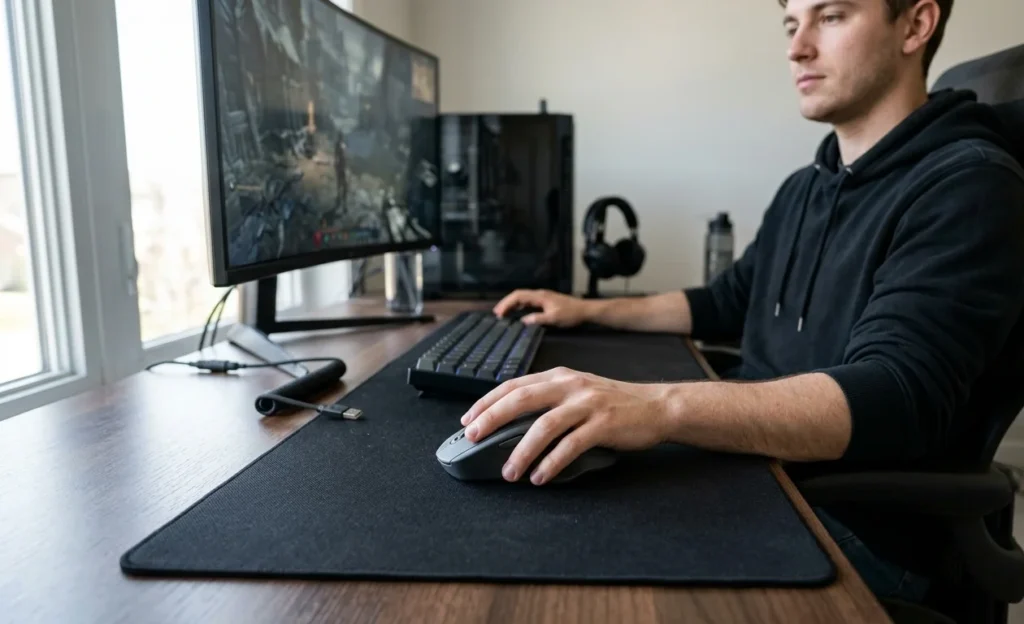
Ergonomics starts with how the mouse fits your hand. A well-shaped shell can support your palm, thumb, and fingers naturally. Poor fit can make you squeeze the mouse or bend your wrist unnecessarily.
Right-handed ergonomic shells often have a raised left side and lower right edge. This shape follows the hand’s resting position better than many symmetrical designs. Thumb rests and wider rear sections can provide extra support.
Vertical models take a different approach by rotating your hand toward a handshake position. The Keychron M5, for example, uses a 47-degree vertical angle. Its manufacturer positions that angle around reducing wrist strain during extended use.
Ergonomic design does not guarantee that every mouse feels comfortable to everyone. Hand dimensions and grip habits remain important. A popular shape can still feel awkward if its dimensions don’t suit you.
Ergonomic Gaming Mouse Types Compared
You can divide most comfort-focused gaming mice into two broad categories. Sculpted gaming designs prioritize familiar movement and speed. Vertical designs place more emphasis on wrist and forearm positioning.
| Type | Wrist Position | Gaming Speed | Learning Curve | Best Suited For |
|---|---|---|---|---|
| Sculpted ergonomic | Mostly palm-down | High | Low | FPS, action, mixed gaming |
| Vertical | More upright | Moderate | Higher | Long sessions, gaming and work |
| Lightweight ergonomic | Traditional but supported | Very high | Low | Competitive FPS |
| Multi-button ergonomic | Palm-supported | Moderate | Low | MMO, RPG, productivity |
Neither category automatically wins for every player. Your priorities should decide which design makes sense. Competitive players often value low weight, while comfort-focused users may accept extra weight for more support.
Seven Ergonomic Gaming Mouse Options Worth Comparing
1. Keychron M5
The Keychron M5 stands apart because it combines a vertical body with gaming-focused hardware. The 8K version uses a PixArt 3950 sensor reaching 30,000 DPI. It also supports polling rates up to 8,000Hz through wired or 2.4GHz connections.
Its 47-degree angle provides a noticeably different wrist position from standard gaming designs. The mouse weighs about 95 grams, according to Keychron’s specifications. That makes it heavier than many competitive FPS mice but lighter than several productivity-focused vertical models.
Pros
- Vertical 47-degree design.
- Up to 8,000Hz polling on the 8K model.
- Wired, Bluetooth, and 2.4GHz connectivity.
- Up to 30,000 DPI on the 8K version.
- Side thumb wheel.
Cons
- Vertical control requires adjustment.
- 95g may feel heavy for fast FPS flicks.
- Right-handed design.
2. Razer DeathAdder V3
The DeathAdder V3 follows a traditional right-handed ergonomic gaming shape. Razer lists its wired version at only 59 grams. That low weight makes it appealing for players who want comfort without sacrificing rapid movement.
Its Focus Pro 30K optical sensor supports sensitivity up to 30,000 DPI. The mouse also supports an 8,000Hz polling rate. Its raised arch provides more palm support than many flatter competitive designs.
Pros
- Lightweight 59g design.
- Familiar ergonomic shape.
- 30,000 DPI sensor.
- Up to 8,000Hz polling.
- Five onboard memory profiles.
Cons
- Wired connection.
- No vertical wrist position.
- Shape favors right-handed players.
3. Razer Pro Click V2 Vertical
The Pro Click V2 Vertical takes a more aggressive approach to hand rotation. Independent testing from RTINGS measured its vertical angle at around 72 degrees. That creates a more upright position than the Keychron M5.
The tradeoff is weight. RTINGS measured the mouse at approximately 150 grams. Players focused on rapid FPS movement may find that weight harder to manage.
Pros
- Strong vertical orientation.
- Premium construction.
- Suitable for gaming and productivity.
- Comfortable option for several hand sizes.
Cons
- Heavy for competitive gaming.
- More pronounced learning curve.
- Less suited to rapid flick movements.
4. Razer Basilisk V3
The Basilisk family uses a conventional gaming layout with added hand support. Its right-handed shell includes a thumb rest that can help stabilize a palm grip. Extra programmable controls also make the design useful outside shooters.
This style works well for players who dislike vertical mice. You retain familiar horizontal movement and button placement. The main compromise is less wrist rotation than a true vertical design provides.
Pros
- Familiar gaming shape.
- Dedicated thumb support.
- Multiple programmable controls.
- Suitable for several game genres.
Cons
- Heavier than ultralight FPS models.
- Right-handed shape.
- Not a true vertical design.
5. Logitech G502 X
The Logitech G502 X uses a pronounced right-handed shape with thumb support. Its button layout favors players who want additional controls within easy reach. This approach can suit MMO, RPG, strategy, and mixed-use setups.
Its larger shape may also suit palm-grip users better than tiny competitive mice. Smaller hands should check the dimensions carefully before buying. More buttons can add value, but they aren’t necessary for every player.
Pros
- Supportive right-handed shape.
- Useful thumb area.
- Numerous controls.
- Good option for multi-genre gaming.
Cons
- Shape may feel large for small hands.
- More controls than FPS players need.
- Not designed for left-handed use.
6. Lightweight Ergonomic FPS Mice
Several modern FPS mice combine asymmetric shells with weights near 60 grams. This design keeps the familiar palm-down position while reducing effort during fast movement. Players can gain comfort without completely changing their aiming technique.
The downside is reduced physical support compared with larger shells. Lightweight designs often remove extra buttons and broad thumb rests. They suit players who prioritize movement efficiency over a planted hand position.
7. Vertical Gaming and Productivity Hybrids
A growing category combines vertical ergonomics with capable sensors and low-latency wireless connections. These models target people who work and play at the same desk. One mouse can replace separate productivity and gaming devices.
The compromise remains movement style. Fast competitive shooters may expose the limitations of a heavier vertical shell. Strategy games, RPGs, and casual titles are generally less dependent on rapid flicking.
How to Choose an Ergonomic Gaming Mouse
Start by measuring your hand from the wrist crease to your longest fingertip. Then compare that measurement with the manufacturer’s mouse dimensions. Width matters too, especially if your fingers drag beside smaller mice.
Next, identify your usual grip style. Palm users often benefit from fuller rear support and a higher hump. Claw users usually need enough arch support without a shell that restricts finger movement.
Consider the games you play most often. Competitive shooters reward low weight and predictable movement. MMOs and RPGs can benefit from additional buttons, larger shells, and stronger palm support.
Finally, decide how much adjustment you’re willing to accept. A sculpted horizontal design feels familiar almost immediately. A vertical mouse can require time before aiming feels natural again.
Does Mouse Weight Matter for Comfort?
Weight changes how much effort you need for repeated movement. A lighter mouse can reduce resistance during rapid aiming. This benefit becomes noticeable when you play at low sensitivity across a large mouse pad.
Heavier mice can still feel comfortable when their shape supports your hand well. Vertical designs are often heavier because their bodies are taller and contain more material. Comfort therefore depends on both weight and shape.
Don’t chase the lowest number automatically. A 59g mouse that forces an awkward grip can feel worse than a 95g model that fits properly. Hand fit should come before a small specification advantage.
Vertical vs. Traditional Ergonomic Mice
Vertical mice rotate the hand away from a fully palm-down position. That orientation can feel more natural for people who dislike prolonged forearm rotation. It also changes how you move and stabilize the mouse.
Traditional ergonomic gaming mice preserve the control style most players already know. They add palm support, asymmetric curves, and thumb areas without radically changing wrist orientation. This makes them easier to adopt for competitive play.
Your choice depends on the problem you’re trying to solve. Choose traditional ergonomics for familiar performance with improved support. Consider vertical designs when wrist positioning matters more than maintaining conventional mouse technique.
Don’t Ignore Your Desk Setup
Even a well-fitted mouse cannot correct an awkward desk arrangement. Keep the mouse close enough that your upper arm remains relaxed. Reaching forward or outward repeatedly can make a comfortable mouse less helpful.
Your forearm should have enough support without forcing your wrist against a hard desk edge. Adjust chair and desk height so your shoulders remain relaxed. Keep your keyboard close enough that switching devices doesn’t require excessive reaching.
Sensitivity settings can also affect movement. Higher sensitivity reduces the physical distance needed for general desktop use. Competitive players should balance that benefit against the sensitivity needed for reliable aiming.
Our Verdict: Which Type Should You Choose?
For competitive gaming, start with a lightweight sculpted model that fits your hand correctly. The DeathAdder V3 demonstrates this approach with its 59g body and gaming-focused sensor. Similar ergonomic FPS designs can also work when their dimensions match your grip.
For a more upright wrist position, the Keychron M5 deserves consideration. Its vertical shape is paired with hardware that goes beyond typical office mice. The 8K version offers gaming-grade sensor specifications and low-latency connectivity.
Players who split their day between work and gaming may prefer a vertical hybrid. Those focused on ranked FPS play will usually prefer a conventional ergonomic shell. Your hand fit and comfort should make the final decision.
Frequently Asked Questions
Is an ergonomic gaming mouse better for long gaming sessions?
An ergonomic gaming mouse can feel better during long sessions when its shape matches your hand. Good support can reduce unnecessary gripping and awkward wrist positions. Fit still matters more than an ergonomic label printed on the box.
Are vertical mice good for gaming?
Vertical mice can work well for casual gaming, strategy titles, RPGs, and mixed computer use. Modern models can include accurate sensors and fast polling rates. Competitive FPS players may need more time to adapt to their movement style.
What grip is most comfortable for gaming?
Palm grip provides broad hand contact and often feels relaxed during extended sessions. Claw grip can provide quicker finger control while keeping some palm support. Fingertip grip favors agility but provides less physical hand support.
Is 8,000Hz polling necessary?
Most gamers don’t need an 8,000Hz polling rate to enjoy responsive control. A 1,000Hz mouse already reports movement frequently enough for typical gaming setups. Higher rates can matter more to enthusiasts using fast displays and performance-focused systems.
Can an ergonomic mouse prevent wrist pain?
No mouse can guarantee that you’ll avoid wrist pain or repetitive strain problems. Ergonomic designs may help you maintain a more comfortable hand position. Persistent pain, numbness, or tingling should be discussed with a qualified healthcare professional.
Should I choose wired or wireless?
Modern 2.4GHz gaming connections can provide responsive performance without cable drag. Wired models remove charging concerns and can cost less. Bluetooth is convenient for general use but isn’t usually the first choice for competitive gaming.
Final Buying Checklist
Before buying, compare the mouse dimensions with your hand measurements. Confirm that its shape supports your preferred grip. Check weight, connectivity, sensor performance, and button placement afterward.
For competitive games, prioritize fit, low weight, and consistent tracking. For long mixed-use sessions, give shape and wrist position greater importance. Don’t pay extra for specifications you won’t use.
The right mouse should disappear beneath your hand during play. You shouldn’t need to squeeze it or constantly reposition your fingers. Choose the shape first, then use performance specifications to narrow your shortlist.