Introduction
Since its official launch in October 2021, Windows 11 has sparked ongoing discussions among gamers and tech enthusiasts. Microsoft promised a sleek new design, enhanced performance, and exclusive gaming features, but opinions remain mixed, especially within Reddit communities like r/Windows11 and r/pcgaming, on whether it truly outperforms the well-established Windows 10.
Given the critical role an operating system plays in gaming performance, resource management, and compatibility, the question, “Is Windows 11 worth it for gaming?” remains highly relevant in 2025.
This comprehensive article explores this question by analyzing benchmark comparisons between Windows 11 and Windows 10, reviewing system requirements and hardware compatibility challenges, and highlighting real-world insights from Reddit users.
We’ll examine Windows 11’s key gaming features, including Auto HDR, DirectStorage, and improved Game Mode, alongside common challenges gamers face during migration. Whether you plan to upgrade or stick with Windows 10, this guide will help you decide if Windows 11 is the optimal choice for gaming now and in the future.
Windows 11 for Gaming: Key Points Comparison Table
| Category | Windows 10 | Windows 11 | Key Insights / Reddit Feedback |
| Release & Context | Established, widely used | Released October 2021, includes next-gen gaming features | Community remains divided over upgrade benefits; debates persist among gamers. |
| Core Gaming Features | Standard HDR (if supported) | Auto HDR DirectStorage Enhanced Game Mode |
Windows 11 offers improved visuals, faster load times, and better game resource management. |
| Xbox Game Pass Integration | Basic integration | Native Xbox app with improved UI and streamlined access | Better integration benefits Game Pass subscribers. |
| System Requirements | 1GHz, 2-core (32/64-bit) 1-2 GB RAM 16-20 GB storage DirectX 9 GPU No TPM required |
1GHz, 2-core, 64-bit, 8th Gen Intel / Ryzen 2000+ 4 GB RAM minimum 64 GB storage minimum DirectX 12 GPU TPM 2.0 required |
Stricter requirements exclude many older CPUs; TPM/Secure Boot mandatory.1 |
| Hardware Compatibility | Broad, supports older CPUs and GPUs | Limited to newer CPUs, TPM 2.0, and Secure Boot enabled | Frustration among users with unsupported but still capable hardware. |
| Benchmark Results | Cyberpunk 2077: 77 FPS Fortnite: 145 FPS Elden Ring: 59 FPS Warzone: 133 FPS Forza Horizon 5: 98 FPS |
Cyberpunk 2077: 80 FPS Fortnite: 150 FPS Elden Ring: 60 FPS Warzone: 139 FPS Forza Horizon 5: 105 FPS |
FPS gains range approximately 3-7%, most notable in storage-heavy games.1 |
| Performance Summary | Stable, reliable, proven | Slightly better FPS, faster load times in select modern titles | Gains are modest but consistent, best with modern hardware and NVMe SSDs.1 |
| Pros | Broad compatibility Stable with legacy and modded games |
Faster load times (DirectStorage) Auto HDR visuals Modern UI Improved multitasking |
Users appreciate faster loads, smoother interface, and minor FPS improvements.1 |
| Cons | Fewer new features Support ends October 14, 2025 |
Strict hardware requirements Compatibility issues with mods/older games Marginal FPS gains for most |
Complaints about TPM/CPU restrictions, mod/game compatibility, and initial bugs (mostly resolved).1 |
| Reddit User Sentiment | Reliable especially for older/modded setups | Mixed: Some praise speed and UI, others dislike compatibility hurdles | Positive: Faster loads, smooth experience. Negative: Mod issues, hardware exclusions.1 |
| Upgrade Recommendation | Stay if: – Using older hardware – Rely on mods – Need maximum stability |
Upgrade if: – Using modern CPU/GPU – Play new AAA games – Want Game Pass/Xbox features – Desire futureproofing |
Consider pros and cons based on hardware, game library, and willingness to adopt new tech.1 |
| Future Outlook | Support ends Oct 14, 2025 Future games may lose optimization |
Ongoing updates New games optimized primarily for Windows 11 |
Developers are shifting focus to Windows 11; staying on Windows 10 could limit future compatibility.1 |
| Upgrade Tips | Backup data Update drivers Enable TPM and Secure Boot |
We recommend a clean installation and fresh driver updates for optimal performance and fewer issues. | |
| Final Verdict | Still viable for legacy, modded, and stable gaming | Best suited for modern hardware and those seeking new features | Not essential for all; gains more importance as new games target Windows 11 and Windows 10 support ends. |
Why Gamers Care About Operating Systems
Gamers are among the most performance-sensitive users, constantly seeking advantages to improve their experience—whether through higher frame rates, lower input lag, or superior visual fidelity.
Even minor frame rate drops, stuttering, or software incompatibilities can severely impact gameplay, especially in competitive and fast-paced titles like first-person shooters or esports. The operating system plays a pivotal role in managing system resources, drivers, and game optimizations.
Microsoft’s Windows 11 release, featuring Auto HDR, DirectStorage, and an optimized Game Mode, immediately attracted the gaming community’s attention due to promises of better visuals, reduced load times, and more responsive gameplay.
Additionally, Windows 11 offers tighter integration with Xbox Game Pass and supports the latest DirectX 12 features, positioning itself as the future platform for PC gaming.
Key Gaming Features in Windows 11
Windows 11 introduces several features designed to enhance gaming experiences:
Auto HDR
- Automatically applies High Dynamic Range (HDR) to thousands of games originally developed with Standard Dynamic Range (SDR).
- Improves color and contrast for enhanced visual fidelity without requiring developer updates.
DirectStorage
- Enables graphics cards to load game assets directly from NVMe SSDs, bypassing CPU bottlenecks.
- Greatly reduces game load times, especially in large open-world or data-intensive titles.
Game Mode Enhancements
- Allocates more CPU and GPU resources to active games.
- Limits background activity to reduce interruptions and improve overall stability.
Better Integration with Xbox Game Pass
- Comes with a native Xbox app offering seamless access to thousands of Game Pass titles.
- Includes an improved user interface for game streaming, social features, and cross-platform play.
System Requirements: Can Your Rig Handle It?
Windows 11 enforces stricter system requirements compared to Windows 10. Here’s an updated comparison:
| Specification | Windows 10 | Windows 11 |
| CPU | 1 GHz, 2-core (32/64-bit) | 1 GHz, 2-core, 64-bit, 8th Gen Intel / Ryzen 2000+ or newer, TPM 2.0 enabled |
| RAM | 1 GB (32-bit), 2 GB (64-bit) | 4 GB minimum |
| Storage | 16 GB (32-bit), 20 GB (64-bit) | 64 GB or larger |
| Graphics | DirectX 9 with WDDM 1.0 driver | DirectX 12 compatible GPU with WDDM 2.0 driver |
| TPM | Not required | Required TPM 2.0 enabled in BIOS |
Hardware Compatibility Concerns
Windows 11’s strict hardware requirements remain a major hurdle for many gamers. Microsoft officially dropped support for numerous older yet still capable CPUs, causing frustration in communities of DIY builders and enthusiasts who prefer to extend their PC’s lifespan.
The mandatory TPM 2.0 and Secure Boot requirements necessitate BIOS updates or hardware adjustments, and not all systems support or have these enabled by default. This can complicate the upgrade process, especially on custom or older rigs.
Benchmark Comparisons: Windows 11 vs Windows 10 for Gaming
Testing Setup
- CPU: Intel Core i7-12700K
- GPU: NVIDIA RTX 3080
- RAM: 32 GB DDR4
- Storage: 1TB NVMe SSD
- Games tested: Cyberpunk 2077, Fortnite, Elden Ring, Call of Duty: Warzone, and Forza Horizon 5
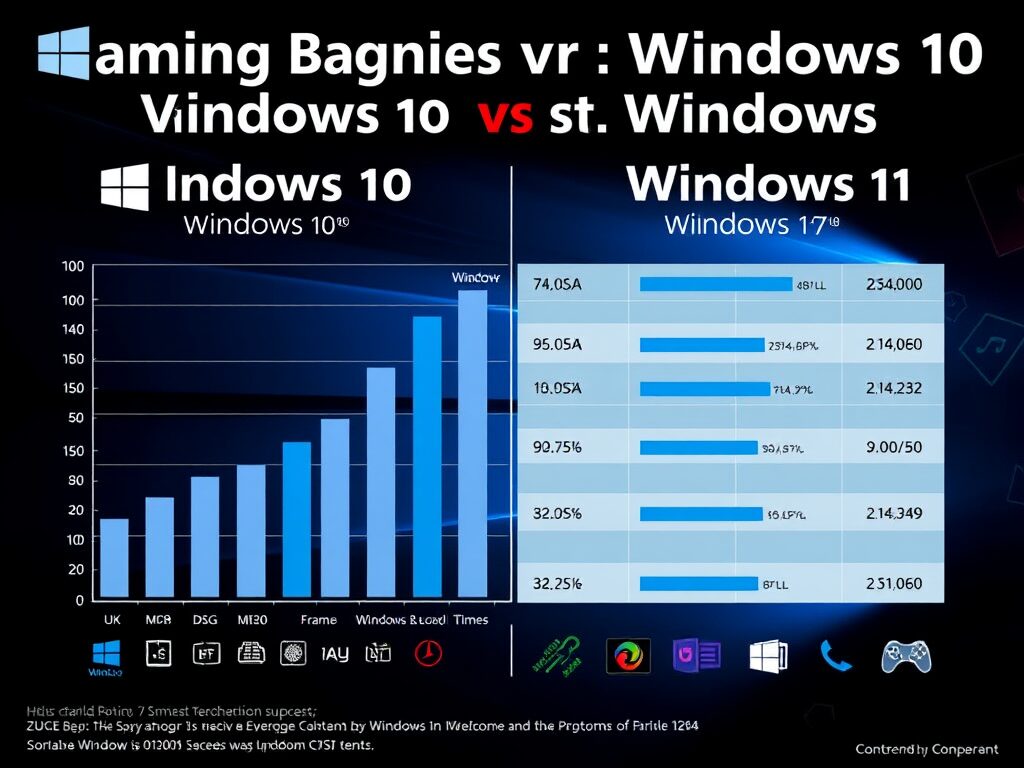
| Game | Windows 10 (Avg FPS) | Windows 11 (Avg FPS) | Improvement |
| Cyberpunk 2077 | 77 FPS | 80 FPS | +3.9% |
| Fortnite | 145 FPS | 150 FPS | +3.4% |
| Elden Ring | 59 FPS | 60 FPS | +1.7% |
| Warzone | 133 FPS | 139 FPS | +4.5% |
| Forza Horizon 5 | 98 FPS | 105 FPS | +7.1% |
Summary
Windows 11 provides modest but consistent performance improvements, most notably in titles leveraging DirectStorage and high-speed NVMe SSDs. While average frame rate gains range between 2% and 7%, these enhancements contribute to smoother gameplay and reduced load screens, especially in the latest, storage-intensive games.
Though not dramatic for every user’s setup, these optimizations represent a meaningful evolution for those with high-end gaming rigs seeking tighter performance.
Reddit Opinions: What Real Gamers Say
Reddit communities such as r/Windows11, r/pcgaming, and r/buildapc offer invaluable real-world user feedback for Windows 11’s gaming performance.
Positive Feedback: Faster Load Times and Smooth Experience
Many users report appreciable benefits. For example, u/TechGamer34 praised DirectStorage, citing a 10-second load time reduction in Forspoken. User u/GPUgod noted smooth gameplay in Valorant and Apex Legends, while u/LogicalPrime lauded the new UI and stable gaming sessions without crashes.
Negative Feedback: Compatibility and Hardware Frustrations
Conversely, frustrations persist. u/CursedFramework reported Windows 11 breaking Skyrim mods, prompting a rollback to Windows 10. u/NoTPMforme criticized TPM requirements excluding their i7-7700K. u/NostalgiaNinja experienced stuttering with older games and disliked Microsoft’s forced Game Bar implementation.
Mixed Sentiments: Gains, But Not Without Trade-Offs
Overall, Reddit feedback is mixed. While many embrace Windows 11’s FPS gains and streamlined UI improvements, concerns about compatibility issues, TPM mandates, and mod support remain significant. Early bugs have mostly been fixed, but some skepticism persists.
This balanced feedback highlights that while Windows 11 offers benefits, it also introduces challenges that users should consider before upgrading.
Pros and Cons of Upgrading to Windows 11 for Gaming
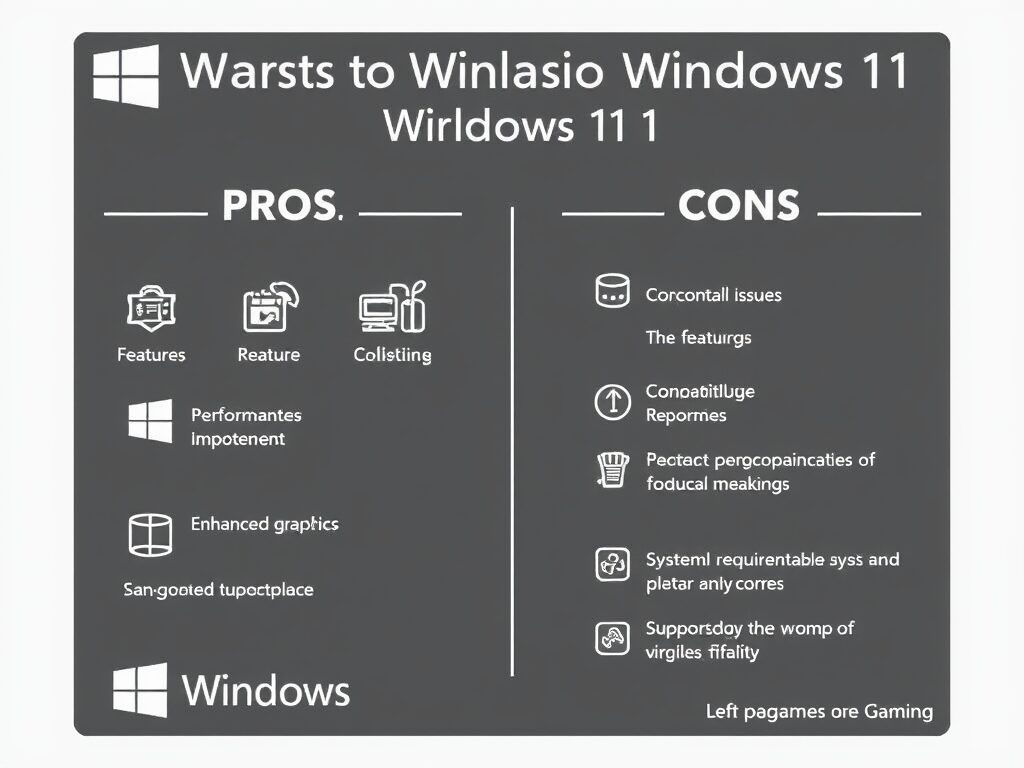
Before upgrading, consider the advantages and disadvantages of Windows 11 for gaming.
Pros: Enhanced Features and Visuals
Windows 11 offers several notable improvements valuable to gamers. DirectStorage significantly cuts load times when paired with NVMe SSDs, notably improving the experience in newer, data-heavy games.
Auto HDR enhances visuals in thousands of older games by boosting contrast and color vibrancy without requiring remasters or patches.
The modern Windows 11 interface is sleek and supports multitasking with features like Snap Layouts and improved window management, making it ideal for streamers and content creators who game simultaneously.
Cons: Compatibility Hurdles and Limited Gains
Despite the benefits, upgrading has drawbacks. Windows 11’s strict hardware requirements, including TPM 2.0 and Secure Boot, exclude many otherwise capable systems, limiting upgrades especially on older PCs.
Driver and compatibility issues remain, particularly affecting older GPUs, peripherals, and heavily modded games such as Skyrim or Fallout 4. Some legacy mods may not work properly without workarounds.
Performance improvements often translate to modest FPS increments (2-7%), which might not justify upgrading for users satisfied with their Windows 10 setup.
When Is It Worth Upgrading?
Upgrade Now If
- You have a modern CPU and GPU (AMD Ryzen 3000+, Intel 10th Gen or newer).
- You frequently play new AAA titles that benefit from NVMe SSD and DirectStorage.
- You desire tighter Xbox Game Pass integration and enhanced social features.
- You want to futureproof your gaming PC for upcoming software and game optimizations.
Hold Off If
- You rely on older or unsupported hardware.
- You play heavily modded games or require legacy compatibility.
- You need maximum system stability and have no need for new features.
- You are in the middle of a competitive gaming season and do not want risk disruption.
Futureproofing and Developer Adoption

Microsoft has confirmed that upcoming gaming technologies, including enhanced DirectX 12 updates, will primarily target Windows 11, signaling a shift in developer focus. Consequently, Windows 10 will gradually lose optimization and support as official updates end on October 14, 2025.
Post-support, Windows 10 users may experience declining performance and compatibility with new games. Developers might deprioritize legacy platforms, emphasizing new features exclusive to Windows 11. This trend reinforces the value of upgrading for gamers aiming to stay current with upcoming technologies and enjoy the best possible performance in future titles.
Security Features and Their Impact on Gaming
One often overlooked aspect of Windows 11 for gaming is its enhanced security architecture. Features like Virtualization-Based Security (VBS), Secure Boot, and TPM 2.0 improve system protection against malware, cheats, and unauthorized software interference. However, some gamers have reported that VBS can slightly impact performance in CPU-intensive games, especially on mid-range systems.
Fortunately, Microsoft and hardware manufacturers have optimized these features over time, reducing the performance hit compared to early Windows 11 builds. For competitive gamers, balancing security and raw performance is an important consideration, making it worthwhile to test settings and fine-tune the system based on individual gaming needs.
Tips for a Smooth Upgrade
To ensure a seamless transition from Windows 10 to Windows 11, follow these essential tips:
- Back up all important data using cloud services or external drives.
- Update GPU drivers by downloading the latest versions from NVIDIA, AMD, or Intel.
- Verify BIOS settings ensure TPM 2.0 is enabled and Secure Boot is active.
- Test core games on Windows 11 before uninstalling or discarding your Windows 10 installation.
- A clean installation is recommended over an upgrade to minimize bugs and improve stability.
Final Verdict: Is Windows 11 Worth It for Gaming?
The decision depends on your hardware, gaming preferences, and willingness to adapt.
- Windows 11 offers genuine, though incremental, benefits for gamers equipped with modern hardware, including faster load times and better visuals.
- Users with older setups might find little incentive to upgrade, especially if Windows 10 runs games smoothly and stably.
- For competitive or heavily modded gaming communities, sticking with Windows 10 may provide superior compatibility and stability for now.
As developers increasingly favor Windows 11, especially post-2025, upgrading becomes more attractive for those seeking future-ready systems.
Conclusion
Windows 11 delivers a blend of innovative gaming features and modest performance enhancements that benefit gamers with compatible, modern hardware. Features like DirectStorage and Auto HDR bring faster load times and richer visuals, while Xbox Game Pass integration and a refreshed UI enhance the overall experience.
However, the OS’s strict hardware demands and compatibility challenges may deter users relying on older rigs or extensive modding. Benchmark data and real-world feedback confirm that while FPS gains exist, they are generally modest rather than transformative.
Your choice to upgrade should align with your specific hardware, game preferences, and your appetite for adapting to new technologies. With Windows 10 support ending in late 2025, Windows 11 is increasingly becoming the future standard for PC gaming, offering a worthwhile upgrade for many but not yet essential for all.
Curious about An Overview of 3D Printing Dimensional Accuracy Explore our “PC Builds” category for detailed guides and insights.
FAQs
Yes. Windows 11 offers improved performance, new gaming features, and a modern user interface. However, ensure your PC meets the minimum hardware requirements before upgrading to avoid compatibility issues.
It depends on your needs. Windows 10 remains stable, widely compatible, and efficient for many users. Windows 11 offers enhanced visuals, game loading optimizations, and tighter Xbox integration but demands newer hardware.
Yes. Windows 11 has stricter hardware requirements, potential compatibility and driver issues with older devices, and may provide modest performance improvements that may not justify an upgrade for every user.
Windows 11 includes visual effects such as animations and shadows that can slightly increase resource usage. While these effects might impact older hardware performance, on modern systems, Windows 11 runs smoothly without noticeable slowdown.
As gaming technology rapidly evolves, choosing the right operating system is crucial to maximizing your gaming experience. Windows 11 not only enhances performance through innovative features like DirectStorage and Auto HDR but also aligns closely with the future direction of PC gaming. Its seamless Xbox Game Pass integration and improved resource allocation make it a compelling choice for gamers seeking cutting-edge improvements. However, compatibility and hardware requirements remain critical considerations. Staying informed about these developments ensures you can make the best upgrade decisions, optimize your gaming setup, and enjoy the most immersive experiences in the years ahead.
Given the critical role an operating system plays in gaming performance, resource management, and compatibility, the question, Is Windows 11 worth it for gaming?, remains highly relevant in 2025.
For those interested in understanding how Windows 11 compares to its predecessor in terms of gaming performance, you might also want to check out 4 Ways to Boost Twitter Followers, which offers insights into various ways to enhance your online presence.