


Introduction
In today’s fast-paced digital world, a laptop is more than just a productivity tool; it’s an extension of your lifestyle, creativity, and professional identity. The ASUS ZenBook 14X is a testament to the advancements in mobile computing, offering a seamless blend of power, portability, and premium aesthetics.
Tailored for modern-day users who demand both style and substance, this ultrabook is gaining popularity among students, remote professionals, digital creatives, and tech enthusiasts alike. What truly sets the ZenBook 14X apart is its cutting-edge 14.5-inch 2.8K OLED display, featuring a 120Hz refresh rate, which delivers ultra-sharp visuals and exceptional color accuracy.
Backed by Intel’s latest Core Ultra processors, integrated Intel Arc or Iris Xe graphics, and up to 32GB of LPDDR5X RAM, the laptop is designed for multitasking, content creation, coding, streaming, and beyond. Whether you’re editing 4K video footage, compiling large data sets, or running multiple virtual desktops, the ZenBook 14X handles it all without breaking a sweat.
Its sleek aluminum-alloy chassis, ultra-thin profile, and lightweight build make it a faithful companion for users on the go. Enhanced by modern productivity features like AI noise cancellation, fast-charging USB-C ports, Windows Hello login, and an intelligent NumberPad trackpad, the device is engineered for a next-level user experience.
ASUS ZenBook 14X Key Specifications and Features
| Feature | Details |
|---|---|
| Product Name | ASUS ZenBook 14X |
| Display Size | 14.5 inches |
| Display Type | OLED NanoEdge |
| Resolution | 2.8K (2880 x 1800) |
| Refresh Rate | 120Hz |
| Processor Options | Intel Core Ultra 5 / Ultra 7 / Ultra 9 |
| RAM | 16GB or 32GB LPDDR5X |
| Storage Options | 512GB or 1TB NVMe SSD |
| Graphics | Intel Iris Xe / Intel Arc integrated graphics |
| Operating System | Windows 11 Home |
| Battery Capacity | 70Wh |
| Battery Life | 9–12 hours (light use), 6–7 hours (heavy use) |
| Fast Charging | Yes, up to 60% in under 50 minutes |
| Weight | 3.4 lbs (1.55 kg) |
| Thickness | 16.9 mm |
| Build Material | Aerospace-grade aluminum alloy |
| Keyboard | Backlit with ErgoLift hinge |
| Special Features | NumberPad 2.0, AI Noise Cancellation, GlideX |
| Ports | 2× Thunderbolt 4, 1× USB-A 3.2, HDMI 2.1, 3.5mm jack, microSD card reader |
| Webcam | FHD IR with Windows Hello + privacy shutter |
| Wireless Connectivity | Wi-Fi 6E, Bluetooth 5.3 |
| Price Range | $1,099 – $1,599 USD |
| Target Users | $1,099 – $1,599 |
| Competitors | Dell XPS 13, MacBook Air M3 |
| Ideal For | Students, professionals, and content creators |
| Release Period | Mid-2025 |
ASUS ZenBook 14X Specifications: A Powerhouse in a Compact Frame

The ASUS ZenBook 14X is a high-performance ultrabook that strikes an impressive balance between sleek portability and robust computing power. Packed with the latest Intel Core Ultra processors and up to 32GB of LPDDR5X RAM, it’s built for multitasking, content creation, and even light gaming. Storage-wise, it comes with fast NVMe SSD options, going up to 1TB, ensuring quick boot times and app launches.
This device features a 14.5-inch OLED display with a 2.8K resolution and a 120Hz refresh rate, offering crystal-clear visuals and smooth scrolling. The screen supports a 100% DCI-P3 color gamut, making it ideal for professionals who require precise color accuracy. Graphic designers, video editors, and photographers will find this particularly appealing.
Battery Life: Can It Power Through Your Day?

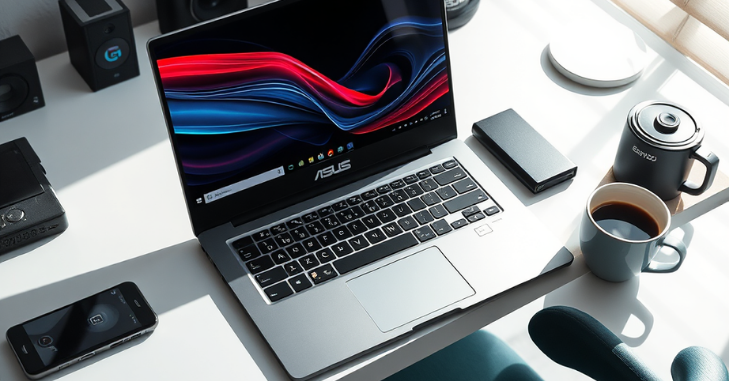
Battery life is one of the strongest features of the ZenBook 14X. With a 70Wh battery under the hood, the device is designed to support all-day productivity. On average, users can expect between 9 and 12 hours of usage on a single charge, depending on the workload.
ASUS also includes USB-C fast charging capabilities, allowing the device to charge up to 60% in just under 50 minutes, making it convenient for those on the move.
Build Quality and Design: Premium Feel in Every Detail
One glance at the ASUS ZenBook 14X, and it’s clear that this isn’t your average ultrabook. Crafted from aerospace-grade aluminum alloy, the chassis offers both durability and lightweight portability. It weighs approximately 3.4 pounds (1.55 kg) and is just 16.9 mm thick, making it perfect for professionals who frequently need to travel.
The backlit keyboard provides a satisfying typing experience, and the ErgoLift hinge tilts the keyboard slightly upward when opened, enhancing ergonomics and airflow. The ASUS NumberPad 2.0 is another unique touch—a virtual numeric keypad integrated into the trackpad, perfect for spreadsheet users.
Display: OLED Brilliance Redefined

The display is where the ZenBook 14X truly shines—literally. ASUS features a 14.5-inch OLED NanoEdge display that boasts a 2.8K (2880 x 1800) resolution, a 120Hz refresh rate, and HDR capabilities. Blacks are deep, colors are vibrant, and the contrast ratio is nearly infinite thanks to OLED technology.
Ports and Connectivity: Modern Yet Versatile
Despite its slim form factor, the ZenBook 14X doesn’t compromise on connectivity. It includes:
- 2 × Thunderbolt™ 4 USB-C ports (with Power Delivery and DisplayPort)
- 1 × USB 3.2 Gen 2 Type-A
- 1 × HDMI 2.1
- 1 × 3.5mm audio jack
- 1 × microSD card reader
Wi-Fi 6E and Bluetooth 5.3 ensure fast and stable wireless connections, which are essential for seamless online meetings, cloud editing, and streaming.
Software and Productivity Features

ASUS bundles the ZenBook 14X with several software enhancements to improve productivity. MyASUS is the control hub where users can tweak performance profiles, adjust fan speed, and optimize battery settings. The system supports AI Noise Cancellation for clear audio during virtual meetings and GlideX for device-to-device screen sharing.
Windows 11 Home comes pre-installed, ensuring compatibility with the latest productivity and security tools.
Price and Configurations: What Are You Paying For?
The ASUS ZenBook 14X starts at $1,099 for the base model, which features an Intel Core i5 processor, 16GB of RAM, and a 512GB SSD. Higher-end versions with Ultra 7 or 9 CPUs, 32GB RAM, and 1TB SSD can cost up to $1,599. Given its OLED display and premium build, the price is competitive with rivals like the Dell XPS 13 and MacBook Air M3.
User Experience: What Real Owners Are Saying
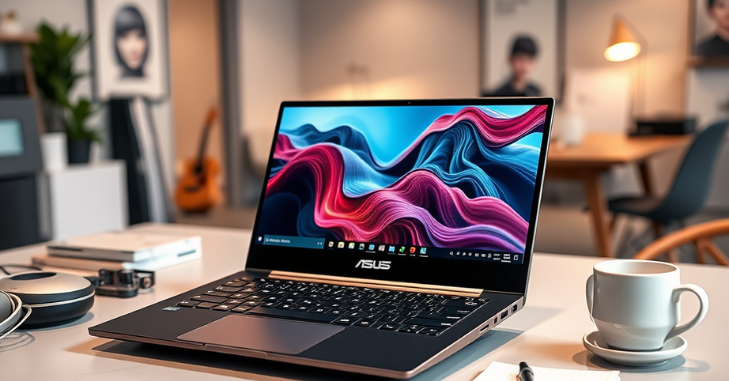
User feedback for the ASUS ZenBook 14X has been overwhelmingly positive. Most users praise the laptop’s snappy performance, vivid OLED display, and premium build quality. The lightweight frame and compact design make it a favorite among digital nomads and professionals who need computing power without the bulk.
However, some users have noted that the fan noise can be noticeable during heavy loads, and that the OLED screen may suffer from slight image retention if static images are left on for extended periods, a common trait in OLED panels.
Who Should Buy the ASUS ZenBook 14X?
The ASUS ZenBook 14X is a compelling choice for:
- Remote professionals need a reliable, portable work laptop
- Content creators who value an OLED screen and color accuracy
- Students and researchers are seeking a high-performance device with extended battery life.
- Frequent travelers who prioritize weight and build quality without compromising performance
It may not be the ideal option for hardcore gamers or those who require a discreet GPU. Still, for almost everyone else, it delivers a near-perfect balance of power, design, and portability.
Conclusion
The ASUS ZenBook 14X stands out in a crowded market of premium ultrabooks. From its ultra-vivid 2.8K OLED display to its efficient performance and fast-charging battery, it’s clear that ASUS has created a device that caters to both modern professionals and creatives. At the same time, there are minor trade-offs, such as fan noise under heavy load, the ZenBook 14X excels where it matters most: design, speed, and user experience. Suppose you’re looking for a reliable, stylish, and high-performance laptop that bridges the gap between work and entertainment. In that case, the ZenBook 14X is a wise investment in 2025.
Want to know about “Enhancing User Experience with Magento 2 Collection Filter” Check out our “Gadgets and Apps” category.
Frequently Asked Questions (FAQs)
On average, the battery lasts between 9 and 12 hours for light use and about 6 and 7 hours for heavy multitasking or creative work.
Absolutely. The 2.8K OLED display offers vibrant colors, deep blacks, and professional-grade color accuracy—ideal for both creative professionals and media lovers.
You can choose from Intel Core Ultra 5, Ultra 7, and Ultra 9 processors depending on your configuration needs.